Browse categories
Explore
Fiverr Pro
English
$
USD
Professional OBS Studio Setup and Streaming Expert
Want your live stream to look clean, professional, and engaging?
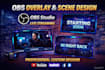
I will design custom OBS overlays and scenes that match your brand and make your stream stand out.
Whether you stream on YouTube, Twitch, or Facebook, Ill create well-structured scenes and overlays that are easy to use and visually appealing.
What youll get
Why Choose Me?
Please message me before ordering if you need animated or advanced designs.


Software:
OBS Studio
Platform:
•
Twitch
•
YouTube
Purpose:
Gaming
•
Music
•
Lifestyle
•
Business
•
News
•
Streamshare
•
Webinar
1. What does your OBS optimization service include?
I optimize your OBS Studio settings, video quality, audio, scenes, encoder, bitrate, webcam, and overall performance to ensure smooth Whatnot live auctions.
2. Can you fix lag, freezing, and dropped frames?
Yes. I will diagnose and fix common OBS issues such as lag, dropped frames, freezing, encoding overload, high CPU usage, and poor stream quality.
3. Can you optimize OBS for low-end PCs?
Absolutely. I'll adjust your OBS settings based on your computer's specifications to deliver the best possible performance without sacrificing quality.
4. Do you support NVIDIA NVENC, AMD, and Intel encoders?
Yes. I configure the best encoder settings for your hardware, whether you're using NVIDIA NVENC, AMD AMF, Intel Quick Sync, or x264.
5. Can you improve my microphone and audio quality?
Yes. I'll configure filters such as Noise Suppression, Noise Gate, Compressor, and EQ to make your voice sound clear and professional.
6. Can you set up multiple cameras and scenes?
Yes. I can configure multiple cameras, custom scenes, transitions, and layouts that are perfect for Whatnot live auctions.
7. Will my OBS be ready to stream after delivery?
Yes. Your OBS Studio will be fully configured, tested, and ready for your next Whatnot live stream.
8. Do I need to give you remote access?
Yes. Remote access via AnyDesk or TeamViewer is the quickest and safest way to complete the setup and ensure everything works correctly.
9. Do you offer support after completing the order?
Yes. I provide post-delivery support to answer questions and make minor adjustments if needed.
10. Why should I choose your service?
I specialize in OBS Studio configuration and optimization for live streaming. My goal is to deliver a smooth, professional, and reliable setup that helps you stream confidently on Whatnot.


