Browse categories
Explore
Fiverr Pro
English
$
USD
Professional OBS Studio Setup and Streaming Expert
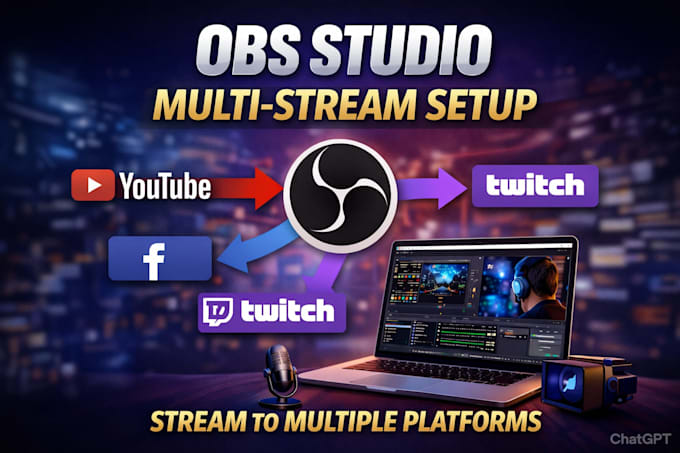
Is Your OBS Studio Setup Ready for Multistreaming?
Want to stream on Whatnot, Twitch, and Facebook Live at the same time? I will set up and optimize your OBS Studio multistreaming setup for smooth, reliable, professional live streaming across platforms.
What I Will Set Up:
Why Choose Me?
Whether you are a gamer, streamer, content creator, or podcaster, I can build a professional OBS multistreaming setup for YouTube, Twitch, and Facebook Live.
Ready to stream everywhere at once with professional setup? Send me a message and lets set up your OBS Studio multistream!


Software:
OBS Studio
Platform:
•
Twitch
•
YouTube
Purpose:
Gaming
•
Music
•
Lifestyle
•
Business
•
News
•
Streamshare
•
Webinar
1. Can you set up OBS Studio for multistreaming?
Yes. I can professionally configure OBS Studio multistreaming so you can stream simultaneously to YouTube, Twitch, Facebook Live, and other supported platforms.
2. Can you set up OBS Studio for YouTube, Twitch, and Facebook Live?
Absolutely. I can configure your YouTube Live, Twitch streaming, and Facebook Live settings, including stream keys, output, video, audio, bitrate, and encoder settings.
3. Can you fix OBS multistreaming problems?
Yes. I can troubleshoot common OBS multistreaming issues, including dropped frames, buffering, connection problems, encoder overload, incorrect settings, and unstable streams.
4. Can you optimize my OBS Studio streaming settings?
Yes. I will optimize your OBS resolution, FPS, bitrate, encoder, output settings, and network configuration according to your computer and internet connection.
5. Can you set up simultaneous streaming on multiple platforms?
Yes. I can help configure simultaneous live streaming to YouTube, Twitch, Facebook Live, and other platforms using an appropriate OBS multistreaming method.
6. Can you set up my OBS microphone, webcam, and capture card?
Yes. I can configure your OBS microphone, desktop audio, webcam, camera, capture card, scenes, and sources for a professional livestream setup.
7. Is this OBS Studio setup suitable for gaming and content creators?
Yes. I can optimize OBS Studio for gaming, podcasts, webinars, tutorials, interviews, esports, and other live streaming content.
8. What do you need to start my OBS multistream setup?
I need your computer specifications, internet upload speed, streaming platforms, OBS version, preferred resolution/FPS, and details about your microphone, webcam, capture card, or other streaming equipment.
| (0) | ||
| (0) | ||
| (1) | ||
| (0) | ||
| (0) |
jbest360

United States
Used AI generated answers the whole time we spoke and charged me 50 dollars for about 1 minute of stream setup. He fixed the stream but was not worth it for the price even if agreed upon. Not a good deal. Do not recommend overall
$50-$100
Price
4 days
Duration
Seller's Response
| (0) | ||
| (0) | ||
| (1) | ||
| (0) | ||
| (0) |
jbest360
United States
Used AI generated answers the whole time we spoke and charged me 50 dollars for about 1 minute of stream setup. He fixed the stream but was not worth it for the price even if agreed upon. Not a good deal. Do not recommend overall
$50-$100
Price
4 days
Duration
Seller's Response