Browse categories
Explore
Fiverr Pro
English
$
USD


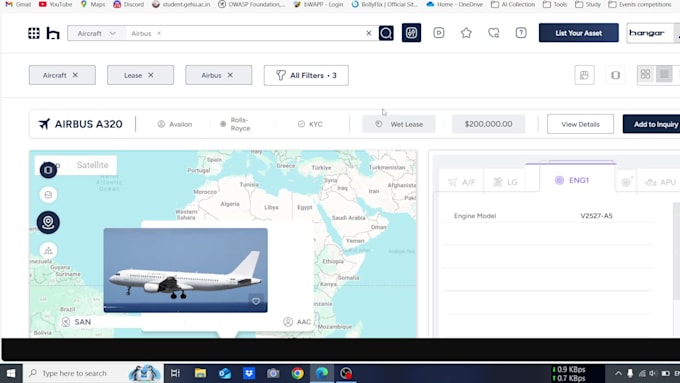
Hi! I'm a skilled React developer specializing in converting Figma designs into pixel-perfect, responsive web applications. With expertise in Tailwind CSS and Bootstrap, I deliver clean, well-documented code that matches your design precisely.
Why Choose Me?
Perfect for: landing pages, portfolios, dashboards, blogs, galleries, forms, FAQs, chat UIs, review sections, react native mobile UI, and more.
How it works:
️Lets bring your designs to life! Click Order Now or message me for a free consultation
An expert vibe coder with more than a year of vibe coding experience
Languages
What do you need from me to get started?
Please share a view-only Figma link (or exported .fig file), plus any style guides, fonts, or assets you use. The clearer your design spec, the faster I can turn it into React code.
Can you explain the steps involved in converting my Figma design to React components?
I begin by reviewing your Figma files to understand the design and any specific requirements. Next, I code the design into functional, pixel-perfect React components using clean, modern practices. Finally, I test the components for responsiveness and functionality before delivering the code
What is the estimated turnaround time for converting my Figma design to React components?
It depends on your project’s complexity. A single-page design typically takes 3 days, while multi-page projects or small web apps may take 5–7 days. Check the package details for specific timelines, or message me for a custom estimate.
Can I request specific features or customizations for my React components?
Yes, absolutely! I can include features custom animations, or specific functionality. Please contact me before ordering to discuss your needs, so we can align on scope and pricing.
How do you ensure the quality and accuracy of the converted React components?
I use best practices in React development to ensure pixel-perfect accuracy, responsive design, and optimized, maintainable code. Every component is tested across devices and browsers to meet high-quality standards.
What happens if I’m not satisfied with the final product?
Your satisfaction matters! Each package includes a set number of revisions (1–3, depending on the tier). If something’s off, I’ll work with you to make it right—just let me know what needs adjusting
Can you provide examples of previous work or testimonials from satisfied clients?
Definitely! You can view samples of my Figma-to-React projects in my gig portfolio. As I complete more orders, I’ll also share client testimonials on my profile for added confidence.
How do I place an order for your Figma to React conversion service?
It’s simple: choose the package that suits your project (Basic, Standard, or Premium), upload your Figma files and requirements during checkout, and submit the order. I’ll review everything and confirm details before starting.
What information or files do I need to provide when placing an order?
Please share your Figma design files (ensure I have access), along with any specific instructions—like preferred styling frameworks (e.g., Tailwind CSS, Bootstrap) or functionality details (e.g., forms, animations). Clear input leads to the best output!