Browse categories
Explore
Fiverr Pro
English
$
USD
Google and Meta Ads Expert, Web Analytics and Tracking Specialist
Are your forms, calls, email links, or CTA buttons not showing correctly in GA4 or Google Ads?
I help B2B businesses set up clear lead tracking with Google Tag Manager and GA4, so you can see which website actions are turning visitors into real leads.
This gig is ideal for service businesses, agencies, consultants, SaaS, and B2B websites that need to track:
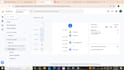
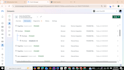
I will review your website, set up the tags and triggers, test everything in GTM Preview and GA4 DebugView, and make sure the selected actions are firing properly.
You will need to provide website access if needed and access to your GA4 and GTM accounts. Please do not share passwords.
Message me before ordering if you use an embedded form, iframe, third-party booking tool, or custom website flow.
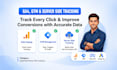
What can you track on my B2B website?
I can track form submissions, phone clicks, email clicks, WhatsApp clicks, demo bookings, calendar bookings, custom CTA buttons, and other lead actions available on your website.
Can you track forms from Calendly, HubSpot, Elementor, or other third-party tools?
In many cases, yes. Please message me before ordering and share the tool or form link you use. I will check the setup and confirm the best tracking method.
What is Server-Side Tracking, and why is it important?
Server-side tracking (via Stape.io) sends data from your server rather than the user's browser. It is essential for overcoming data loss caused by ad-blockers, ITP (Intelligent Tracking Prevention), and iOS updates, ensuring you get nearly 100% accurate conversion data.
Do I need to share my website login credentials with you?
To install GTM and verify the tracking codes, I will need access to your website's backend (like Shopify or WordPress admin). Alternatively, we can do it via a Zoom screen-sharing session if you prefer not to share credentials.
Why do I need Google Tag Manager (GTM) if I already have Google Analytics?
GTM allows you to manage and deploy marketing tags (like GA4, Facebook Pixel, or Google Ads tags) without editing your website's code every time. It makes your tracking more organized, faster, and much more flexible for complex event tracking.
Will you fix my existing tracking issues or start from scratch?
I can do both! I will first audit your current setup to find any bugs or double-tracking issues. If the existing setup is broken, I will fix it; otherwise, I can implement a completely fresh and optimized GA4/GTM structure for you.
Do you set up Google Ads conversion tracking?
Yes. Google Ads lead conversion tracking is included in the Premium package. I can connect your selected lead actions to Google Ads so they can be used for reporting and campaign optimization.


