Browse categories
Explore
Fiverr Pro
English
$
USD
Expert QA Manual Tester, I Find the Bugs Before Your Users Do
Professional QA Manual Testing for Corporate Websites, Apps & Software
Are you launching a business-critical platform, SaaS product, or internal corporate tool? I offer expert-level QA testing to ensure your web and mobile applications are bug-free, user-friendly, and meet professional standards.
With over 5 years of hands-on experience in manual QA testing, I specialize in uncovering hidden issues that impact functionality, performance, and user experience.
What I Will Test:
Deliverables Include:
Available Devices:
Why Work With Me?
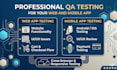



Testing application:
Web application
Development technology:
HTML & CSS
•
JavaScript
•
PHP
•
SQL
Device:
PC
•
Android mobile phone
Q: Do you test for responsiveness?
A: Yes! I check how your site looks and behaves on different screen sizes, ensuring it's fully responsive and user-friendly.
Q: Will I receive a report of the issues?
A: Absolutely. You'll get a clear report with screenshots, issue descriptions, and suggestions on how to fix them.
Q: Can you test more than 5 pages?
A: Yes, I offer custom quotes for larger websites. Just send me a message with your requirements!
Q: Do you test functionality like forms or buttons?
A: Yes, I test all interactive elements such as forms, buttons, and navigation links to ensure they work properly.
Q: What devices do you use for testing?
A: I test on both a desktop computer and a real mobile phone (Android or iPhone) to ensure accurate, real-world results.


