Browse categories
Explore
Fiverr Pro
English
$
USD
Broadcast Quality Streaming Without Technical Stress
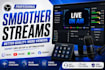
Poor stream quality, audio sync issues, OBS lag, or dropped frames can ruin your live stream and drive viewers away. A professionally optimized OBS Studio setup helps you stream with confidence, delivering smoother performance, clearer audio, and high-quality video.
Whether you're streaming on Twitch, YouTube, Kick, Facebook, Whatnot, or recording podcasts, your OBS Studio will be configured for maximum stability and performance. From OBS setup and stream optimization to audio routing, encoding, Stream Deck integration, and Streamlabs OBS support, every setting is tailored to your PC, internet connection, and streaming goals.
What You'll Get:
Get a reliable OBS setup that minimizes technical issues, improves stream quality, and creates a smoother viewing experience for your audience.
Message me before ordering if you have custom requirements or need help choosing the right package.

Software:
OBS Studio
Purpose:
Gaming
•
Music
•
Lifestyle
•
Business
•
News
•
Streamshare
•
Webinar
What do you need from me to get started?
Please provide your PC specifications, internet speed, OBS Studio version, streaming platform (Twitch, YouTube, Kick, Whatnot, etc.), and a brief description of the issue you're experiencing. If remote setup is needed, I'll guide you through a secure connection process.
Can you fix OBS lag, dropped frames, audio sync, or encoding issues?
Yes. OBS performance can be optimized to resolve common issues such as lag, dropped frames, encoder overload, audio sync problems, poor recording quality, microphone noise, and unstable live streams.
Do you optimize OBS for my specific PC and internet connection?
Absolutely. Every optimization is customized to your hardware, GPU/CPU, encoder, and upload speed to deliver the best balance between performance and stream quality.
Can you configure Streamlabs OBS, Stream Deck, or Voicemeeter too?
Yes. Advanced packages include Streamlabs OBS, Stream Deck, Voicemeeter, audio routing, recording optimization, and multi-platform streaming configurations for a complete streaming workflow.
Will my stream quality improve after optimization?
That's the goal. A properly optimized setup typically delivers smoother streaming, clearer audio, better video quality, fewer dropped frames, and a more stable broadcasting experience. Results depend on your hardware and internet connection.
What if I need changes after delivery?
Revisions are included based on your selected package. If you later upgrade your PC, add new streaming equipment, or need further optimization, ongoing support is available.
Can you optimize an existing OBS setup instead of creating a new one?
Yes. Whether you already have OBS configured or are starting from scratch, your current setup can be analyzed, repaired, optimized, and tested to ensure it's ready for professional live streaming and recording.
