Browse categories
Explore
Fiverr Pro
English
$
USD
Technical so specialist GSC fix indexation and schema mark up
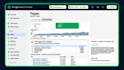
Are your pages stuck on Discovered or Crawled, currently not indexed?
If Google will not index your pages, they cannot rankand content alone will not fix technical indexation blocks. I will diagnose and resolve your technical Google Search Console errors manually.
What I Fix:
What You Get:
Please message me before ordering with your website URL and a screenshot of your Search Console errors so I can confirm the exact scope.




Language:
English
SEO services offer implementation of SEO practices only, which may take weeks or months before any results begin to show.
What access do I need to give you to fix my Search Console issues?
I will need Full or Owner level access to your Google Search Console property. If a technical fix requires changes to your website (such as updating your robots.txt, XML sitemap, or noindex tags), I will also need temporary admin access to your website dashboard (WordPress, Shopify, etc.).
Can you guarantee instant indexing on Google after your fix?
No legit SEO professional can guarantee instant indexing, as Google ultimately controls its own Instant indexing can't be guaranteed as Google controls crawl timing. I resolve the technical errors blocking your pages and manually resubmit your sitemaps and URLs via Search Console to trigger recrawl.
How do I give you access to my Google Search Console?
You don't need to share your Google password! Simply log into your Search Console, go to Settings > Users and permissions, and click Add user. Enter my email address (which I will provide in the order requirement area once the order starts) and set the permission to Full.
What is the difference between "Discovered" and "Crawled" currently not indexed?
Discovered – currently not indexed" means Google knows the URL exists but hasn't crawled it yet (often due to crawl budget or server load). "Crawled – currently not indexed" means Google visited the page but chose not to index it (often due to thin content, duplicate content, or canonical conflicts)
What if my website is built on a custom platform or specific CMS?
I work with all major Content Management Systems, including WordPress, Shopify, Wix, Squarespace, Webflow, and custom PHP/HTML sites. If you have a custom-coded platform, please send me a quick message before ordering so we can review your setup.


