Browse categories
Explore
Fiverr Pro
English
$
USD
Excel automation and financial forecasts
Messy spreadsheets slowing you down? Send me your files and get back one clean, accurate workbook, ready to use.
What I do:
Premium: reusable VBA macros so you can do it yourself every month, with a step-by-step guide
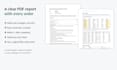
Every order includes a short PDF report showing what changed, with before/after snapshots and totals you can check. Your original files are never modified.
Please message me before ordering and send a sample file, so I can confirm the right package.
Note: macros work in Excel for Windows. Scanned PDFs are not supported.


Technology:
Excel
•
VBA
Which files can you work with?
Excel (.xlsx, .xls, .xlsm), CSV and text exports, OpenOffice (.ods) and PDF files that contain real text. Scanned PDFs (photos of pages) are not supported.
Is my data safe?
Your files are used only for your order, never shared, and deleted after delivery on request. Your original files are never changed: you receive new files.
Will my currency symbols and number formats stay?
Yes. Amounts become real numbers that Excel can add up, and they keep your $, €, £, or other symbol and your decimals. If one column mixes several currencies, I will ask you before doing anything.
How many rows can you handle?
Large files are fine: hundreds of thousands of rows. If your data is very large or split into many files, message me first so I can confirm the delivery time.
What if the result is not what I expected?
Every package includes revisions. Tell me what to change and I will update the files. The PDF report also shows every change, so nothing is hidden.
Do the macros work on Mac?
The macros are made for Excel on Windows (Microsoft 365, 2021, 2019, 2016). The cleaned workbook and the PDF report work everywhere, including Mac and Google Sheets.
Can I reuse the macros every month?
Yes, that is the point of the Premium package. You put next month's files in a folder, click the buttons, and get the same merged file and report. A backup is made automatically before every run.
Can you convert my data from one currency to another?
No, I do not convert currencies. I keep each amount in its own currency and flag any column that mixes several of them.