Browse categories
Explore
Fiverr Pro
English
$
USD

Level 1
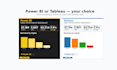


Send me your data, pick your tool Power BI or Tableau and get back a polished, interactive dashboard with KPI cards, drill-down, slicers, custom measures, and a clean exec-summary page.
What you get:
- For Power BI: a `.pbix` file (open with Power BI Desktop, free on Windows)
- For Tableau: a `.twbx` packaged workbook (open with Tableau Desktop or free Tableau Reader)
- Cleaned data model with proper relationships / joins
- Custom measures (DAX for Power BI, calculated fields & LODs for Tableau)
- Interactive visuals with cross-filtering and slicers
- Branded look (your logo and color palette if provided)
- Optional: published to Power BI Service or Tableau Public/Cloud
I deliver weekly:
- Sales & revenue dashboards
- Marketing performance dashboards (channel, ROAS, funnel)
- Operations / KPI scorecards
- Financial dashboards (P&L, variance, runway)
- Survey result dashboards
Not sure which tool? See the FAQ below quick answer: **Power BI** if your team is on Microsoft 365 or Windows; **Tableau** if you need richer vi
Data analytics
Level 1
Languages
What does the basic package include?
(1) 1 dashboard page / sheet; (2) 4 KPI cards; (3) 4 visuals; (4) Slicers / filters + 1 drill-through; (5) Up to 3 data tables / 50,000 rows
What does the standard package include?
(1) 2 dashboard pages / sheets; (2) 8 KPI cards; (3) 8 visuals; (4) Slicers, bookmarks, drill-down, custom tooltips; (5) Custom measures (5–10 DAX or calculated fields); (6) Branded theme (logo + palette); (7) Up to 6 data tables / 500,000 rows
What does the premium package include?
(1) 4 dashboard pages / sheets; (2) 15+ KPI cards; (3) 12+ visuals incl. small multiples and dynamic ranges; (4) Bookmarks, navigation buttons, row-level/user-level security on request; (5) Full measure/calculated-field library (15+) documented; (6) Branded theme + custom icons; (7) Service.
Power BI or Tableau — which should I pick?
Quick rule of thumb. Pick Power BI if your team is on Microsoft 365 (Office) or Windows, or you want the cheapest sharing licenses ($10/user/mo). Pick Tableau if your team already uses it, you need advanced visual analytics, or you have a Mac-only audience.
Do I need a license?
For Power BI: Desktop is free on Windows; sharing online needs Power BI Pro (~$10/user/mo). For Tableau: Desktop is paid (~$70/user/mo) but Tableau Reader is free for opening `.twbx` files; sharing online needs Tableau Cloud or Server. I can advise on the cheapest licensing path for your case.
I'm on a Mac — which works?
Power BI Desktop is Windows-only, but you can view dashboards I publish to Power BI Service in any browser on Mac. Tableau Desktop runs natively on Mac. Tell me your situation and I'll route the deliverable accordingly.
Can I refresh the dashboard with new data?
Yes — every dashboard supports paste-replace into the data source, file refresh, or live database refresh.
Can you connect to my database / API directly?
Standard and Premium support direct connections (SQL Server, Postgres, Snowflake, Azure, REST APIs). Send me read-only credentials via NDA and I'll wire it up.
Will my data stay private?
Yes — I never share or reuse client files. NDA available on request.


