I will on low price i will convert your pdf table to excel
About this Gig
Stop wasting time manually copying data from PDFs! I will quickly and accurately convert your PDF files, scanned documents, or image tables into fully editable, organized, and formatted Microsoft Excel, Word, CSV and Google Spreadsheets.
Whether you have invoices, reports, financial statements, or product lists trapped in a PDF, I will extract the data with precision. I ensure that your numbers, text, and tables are transferred correctly, saving you hours of tedious work and preventing costly manual entry errors.
I specialize in converting:
· Financial Documents: Invoices, Receipts, Bank Statements
· Business Reports: Data Tables, Sales Reports, PDF Forms
· Lists & Catalogs: Product Lists, Price Lists, Inventory Sheets
· Scanned Documents: Even image-based PDFs (clear quality)
· Survey Data & Research Tables
Why Choose My Service?
100% Accuracy
I manually verify every data entry to ensure your numbers and text are perfectly transferred.
I respect your time and deliver most projects within 24 hours. Editable & Ready-to-Use: You will receive a native .XLSX file that is fully editable and ready for analysis.
Convert from:
Convert to:
XLS, XLSX
FAQ
Is this an automated conversion?
No. I use a combination of advanced tools and manual data entry/verification to guarantee 99.8% accuracy. Automated tools often make errors with formatting and complex tables; my manual process ensures perfection.
What if my PDF has more than 10 pages?
No problem! Please message me directly with your file for a custom bulk quote at a discounted rate.
What file will I receive?
You will receive a fully editable Microsoft Excel file (.XLSX). You can open it in Excel, Google Sheets, or any other spreadsheet software.
What if my PDF is a scanned image or a photograph?
I can work with scanned PDFs and clear images of tables. The accuracy depends on the image quality (resolution, lighting, etc.). Please message me with the file for a free evaluation.
Can you extract data from a PDF form (like a filled-in application)?
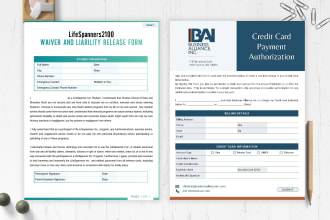
Yes! I frequently convert filled-out PDF forms into Excel, placing each form field into its own cell in a spreadsheet.
How do you handle confidential data like invoices or statements?
With the utmost care. I treat all client data with strict confidentiality. All files are deleted from my system after project completion, and I am happy to sign an NDA.