Browse categories
Explore
Fiverr Pro
English
$
USD
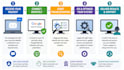
Are you facing issues with your PC or laptop? I provide professional remote PC troubleshooting and Windows support using secure Google Remote Desktop to quickly diagnose and fix your computer problems.
With hands-on experience in Computer Engineering and real-world troubleshooting, I focus on identifying the root cause of issues instead of temporary fixes, ensuring long-term system stability and performance.
Services I Offer:
Why Choose My Service?


Device:
Desktop
•
Laptop
Operating system:
Windows
How will you fix my PC remotely?
I will connect to your system using secure tools like Google Remote Desktop (with your permission) and troubleshoot the issue in real time.
Is remote access safe?
Yes, it is completely safe. I only access your system with your permission and only for troubleshooting purposes. Your privacy and data are fully respected.
What types of PC issues can you fix?
I can fix Windows errors, slow PC problems, software installation issues, driver errors, network problems, and basic virus/malware issues.
How fast can you deliver the service?
Basic issues are usually fixed within a few hours. Complex problems may take up to 24 hours depending on the issue.
Do I need to install any software before starting?
No, you can use the Chrome Remote Desktop website instead of installing a separate app. It works directly through your browser. I will guide you step-by-step to set it up securely, so you can easily allow remote access without any technical difficulty.
What do I need to provide to start the service?
You just need a stable internet connection and permission for remote access. I will guide you step-by-step to connect and start fixing your issue.
Do you install licensed software like MS Office?
Yes, I can install and properly configure licensed software such as MS Office, drivers, and other applications. I ensure correct installation so everything works smoothly without errors or conflicts.


