Browse categories
Explore
Fiverr Pro
English
$
USD
OBS Studio Expert And Streaming Setup Specialist
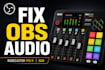
Bad audio can ruin a great livestream. If your OBS setup has echo, delay, double audio, poor mic quality, or confusing RodeCaster settings, I will help you setup your RodeCaster Pro II or Duo with OBS for clean, professional livestream audio.
I help streamers, gamers, podcasters, and content creators build reliable audio setups that sound clear and audience-ready.
WHAT I WILL DO:
Setup RodeCaster Pro II or Duo with OBS
Fix echo, delay, and double audio
Configure clean audio routing
Optimize mic quality and levels
Setup game, Discord, and stream audio
Configure capture cards and console audio
Improve livestream sound quality
Optimize Twitch and YouTube Live audio
WHAT YOU GET:
Clean and organized OBS audio setup
Studio quality livestream sound
Balanced microphone and stream audio
Beginner-friendly guidance
Tested and optimized configuration
SUPPORTED TOOLS:
OBS Studio, RodeCaster Pro II, RodeCaster Duo, Elgato, PS5, Xbox, Discord, Twitch, YouTube Live, Streamlabs, and more.
My goal is to make your stream sound professional without the stress of complicated audio setup.
Order now and lets build a clean, reliable RodeCaster and OBS setup for your livestream.
Best Regards


Software:
OBS Studio
Platform:
•
Twitch
•
YouTube
•
Smashcast
•
Kick
Purpose:
Gaming
•
Music
•
Lifestyle
•
Business
•
Streamshare
•
Webinar
Can you fix echo, delay, or double audio in OBS?
Yes. I can troubleshoot and fix common OBS audio issues like echo, delayed sound, duplicate audio, low mic volume, and bad routing with your RodeCaster Pro II or Duo.
Do you setup RodeCaster Pro II and RodeCaster Duo with OBS?
Yes. I setup both RodeCaster Pro II and RodeCaster Duo for clean livestream audio, podcast audio, and professional OBS streaming workflows.
Can you help with PS5, Xbox, or capture card audio setup?
Yes. I can configure PS5, Xbox, Elgato capture cards, and OBS audio routing for smooth livestream audio and gaming stream setup.
What do I need before placing an order?
You will need: OBS Studio installed RodeCaster Pro II or Duo connected Your microphone and audio devices ready Remote access software if needed I will guide you through the rest.
Do you support Twitch, YouTube Live, and Streamlabs?
Yes. I can optimize your RodeCaster and OBS setup for Twitch streaming, YouTube Live, Streamlabs, and other livestream platforms.
How long does delivery take?
Most orders are completed within 2–5 days depending on the package and setup complexity. Faster delivery may also be available.
Can beginners order this service?
Absolutely. This service is beginner-friendly, and I will make the setup process simple and easy to understand even if you are new to OBS or livestream audio.
Do you offer revisions if something needs adjustment?
Yes. Revisions are included based on your selected package to make sure your audio setup works properly and sounds clean.
Will my livestream audio sound professional after setup?
Yes. I will optimize your OBS and RodeCaster settings for cleaner, balanced, and more professional livestream audio quality.
Can you help with OBS audio routing and stream optimization?
Yes. I specialize in OBS audio routing, livestream audio optimization, microphone setup, Discord/game audio separation, and clean streaming workflows.


