Browse categories
Explore
Fiverr Pro
English
$
USD
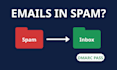
Is your mail landing in spam, or are Gmail and Outlook asking for SPF, DKIM and DMARC? I check your domain's email authentication and hand you a clear report plus ready-to-paste DNS records.
What you get:
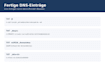
- Basic: review of your SPF and DMARC records
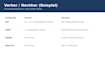
- Standard: Basic plus DKIM for up to 3 sending services and a follow-up check with a before/after report
- Premium: Standard plus an MTA-STS policy draft and a second check after 14 days
- Every package: a plain-language PDF report (what is missing, what is risky, what to fix first) in English or German
- A safe rollout: DMARC starts in monitoring mode (p=none), so no sending service gets blocked by accident.
You tell me your domain and every service that sends mail for you. You or your provider add the records, since that needs access to your DNS account. I never ask for passwords.
The report arrives within 2 days. The longer delivery time of Standard and Premium covers the follow-up check after your records are live.
No inbox placement is guaranteed: spam filters also judge content, reputation and sending volume.
Made with the help of AI tools; all designs are original, not copied from another creator.
Email Provider:
Gmail
•
Microsoft Outlook
•
Zoho
Expertise:
Security
•
Spam
•
Setup
•
Configuration
Do you need access to my DNS or email accounts?
No. I only read your public DNS records. You or your provider paste the records I deliver. Please never send me passwords.
Will this stop my emails from landing in spam?
Gmail and Outlook expect correct SPF, DKIM and DMARC, but nobody can guarantee inbox placement. Spam filters also judge content, sender reputation and volume.
Can you set DMARC to reject right away?
Not safely. A strict policy blocks every sender that is not set up yet. I start with p=none; you move to quarantine and reject once the reports show that all your senders pass.
Is a follow-up check included?
Yes, in Standard and Premium. Once you tell me your records are live, I check them again and send a before/after report. Premium adds a second check after 14 days. Basic covers SPF and DMARC with report and records, without DKIM and without a follow-up check.
Who creates the DKIM keys?
Your mail service, in its admin panel (for Google Workspace a super admin). I tell you where to find it and what the record must look like. Activation can take 24 to 72 hours. DKIM is part of Standard and Premium.
What does MTA-STS need?
A small policy file hosted over HTTPS at mta-sts.yourdomain plus two DNS records. I write the file and the records; you or your web host publish them.
Is the report available in German?
Yes. You get the report in English or German, whichever you prefer.


