Browse categories
Explore
Fiverr Pro
English
$
USD
Procurement, Workflow Automation, Ex Design Engineer
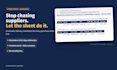
Late deliveries stop production. Chasing suppliers one by one eats your day.
Built by a buyer at a global manufacturer to fix both, in Google Sheets.
What changes for you
- Catch delays early: suppliers get reminders 14 and 3 days before due (adjustable), with time to react
- No more daily chasing: reminders go out every morning, even when you're out of office
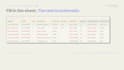
- No missed overdue lines: they turn red and appear in your morning summary
- Look professional: one clear email per supplier per day
- Less manual work: due dates calculated (weekends/holidays* skipped), partial deliveries tracked
Cost
- One-time price. No subscription, no extra software
- Runs in your own Google account. Your data stays with you
What you get
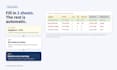
- Your copy of the Google Sheets template, automation built in
- Setup guide (PDF) and editable email templates
What you need
- A Gmail or Google Workspace account
- A computer with Chrome for the 30-min setup
*US, UK, Canada, Australia, Germany, Norway via Google Calendar, incl. some regional holidays. Others: weekends only.
Free Gmail: ~100 recipients/day (Google's limit).
Revisions: setup issues and bugs only. No custom changes. Unsure? Message me first.


Technology:
Google Sheets
Expertise:
Other
How do I receive the template?
After ordering, send me the Gmail address you will use. I share a private copy link with that account only. Open it while logged in to that Gmail and click "Make a copy."
Can I use my company email (Outlook, etc.)?
Emails are sent from the Gmail or Google Workspace account that owns the sheet. You can set your company address as the reply-to, so supplier replies go to your company inbox.
Google says "This app isn't verified." Is it safe?
This appears for any custom script you copy into your own account. Check that the developer email shown is your own, then click Advanced → Go to project → Allow. The script runs only inside your account.
Can you see my data?
No. Your copy lives in your Google Drive and the script runs in your account. Nothing is sent to me or any outside server.
Does it work in my time zone and country?
Yes, you choose your time zone. Holidays are supported for the US, UK, Canada, Australia, Germany and Norway via Google Calendar, including some regional holidays. Other countries skip weekends only. You can always override a due date with Confirmed Due.
How many emails can it send per day?
Google limits recipients to 100/day on free Gmail and 1,500/day on Google Workspace (including CC). Lines for the same supplier are grouped into one email per day, so this is enough for most small teams.
Can I change the email wording or reminder days?
Yes. Edit the email text in the templates tab and set reminder days per supplier (e.g. 14,3 or 7). No coding needed.
Can I share it with my team or other companies?
You can share your copy with colleagues in your company. One purchase covers one company; reselling or redistributing the template is not allowed.


