Browse categories
Explore
Fiverr Pro
English
$
USD
OBS Studio Expert and Live Stream Technical Specialist
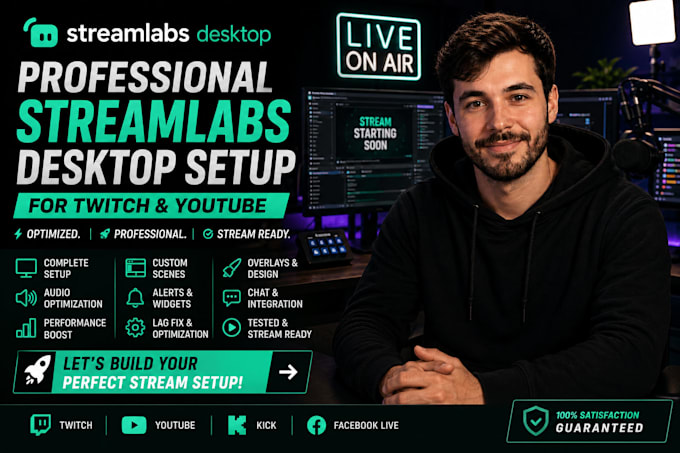
Want a professional Streamlabs Desktop setup that delivers smooth, high-quality streams? I will professionally install, configure, and optimize Streamlabs Desktop for Twitch, YouTube, Kick, or Facebook Live, ensuring your stream looks and performs its best.
Whether you're a beginner or an experienced creator, I'll customize your Streamlabs settings to match your PC and streaming goals.
What you'll get:
Why choose me?
Please contact me before placing your order so I can review your setup and recommend the best package.
Order now and get a professional Streamlabs Desktop setup that's ready to stream with confidence!
Software:
OBS Studio
Platform:
•
Twitch
•
YouTube
•
Kick
Purpose:
Gaming
•
Music
•
Lifestyle
•
Business
•
News
•
Streamshare
•
Webinar
1. What do you need from me before starting?
I'll need information about your computer, camera, microphone, and streaming platform (Twitch, YouTube, Kick, or Facebook Live). If you already have Streamlabs Desktop installed, I'll review your current settings before making any changes.
2. Can you help if I'm new to Streamlabs Desktop?
Absolutely! Whether you're just getting started or upgrading your setup, I'll configure everything properly and make it easy for you to start streaming.
3. Can you fix lag, dropped frames, or audio issues?
Yes. I'll optimize your Streamlabs Desktop settings and troubleshoot common issues such as lag, audio sync problems, poor video quality, and dropped frames.
4. Can you install overlays, alerts, and widgets?
Yes. Depending on your package, I'll install and configure overlays, alerts, widgets, browser sources, and custom scenes to give your stream a professional appearance.
5. Which streaming platforms do you support?
I can configure Streamlabs Desktop for Twitch, YouTube, Kick, Facebook Live, and other platforms that support live streaming.
6. How is the setup completed?
The service is completed remotely through a secure screen-sharing session. You'll remain in control of your computer throughout the entire setup process.
7. Do you provide support after the setup is complete?
Yes. If you experience any issues related to the work I completed during the included support period, I'll be happy to help resolve them.
8. Should I contact you before placing an order?
Yes. Please message me before ordering so I can review your setup, confirm compatibility, and recommend the package that best fits your streaming needs.
