Browse categories
Explore
Fiverr Pro
English
$
USD
OBS Studio and Live Streaming Setup Expert
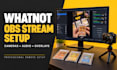
Ready to launch a professional Whatnot livestream that looks polished, sounds crystal clear, and helps you sell with confidence? You're in the right place!
I specialize in Whatnot setup, OBS Studio setup, and live selling stream configuration for new and experienced Whatnot sellers. Whether you're selling trading cards, collectibles, sneakers, fashion, comics, or other products, I'll create a reliable, high-quality streaming setup tailored to your workflow.
My services include:
Every setup is optimized for smooth performance, professional presentation, and an improved live selling experience.
Why choose me?
Let's build a professional Whatnot livestream that helps your brand stand out and creates a seamless experience for your audience. Place your order today, and let's get your stream ready for success!

Software:
OBS Studio
Platform:
•
Twitch
•
YouTube
•
Mixer
•
Hitbox
•
Kick
Purpose:
Gaming
•
Music
•
Lifestyle
•
Business
•
News
•
Streamshare
•
Webinar
1. What do I need before ordering this Whatnot setup service?
You'll need an approved Whatnot seller account, a Windows or Mac computer, OBS Studio (if installed), your camera, microphone, and a stable internet connection. If you're unsure, I'll guide you through the requirements.
2. Can you set up OBS Studio for my Whatnot livestream?
Yes! I'll professionally configure OBS Studio for your Whatnot livestream, including video, audio, scenes, sources, encoder settings, and stream optimization for a smooth live selling experience.
3. Can you help me set up multiple cameras for live selling?
Absolutely. I can configure dual or multiple camera angles, including a product camera and face camera, making your Whatnot livestream look more professional and engaging.
4. Can you optimize my microphone and audio quality?
Yes. I'll optimize your microphone with professional audio filters, adjust audio levels, reduce background noise, and ensure your viewers hear you clearly throughout your livestream.
5. Do you provide remote setup and troubleshooting?
Yes. I offer remote setup and troubleshooting to configure your streaming software, fix technical issues, and make sure everything works correctly before you go live.
6. Can you integrate my overlays, alerts, and branding?
Yes. I can add your custom overlays, logos, browser sources, alerts, and branding to create a polished and professional Whatnot streaming setup.
7. Do you support Stream Deck and other streaming tools?
Yes. I can configure Stream Deck, browser sources, widgets, and other compatible streaming tools to improve your workflow and make live selling easier.
8. What if I have issues after delivery?
I'm committed to delivering a fully functional setup. If you experience issues related to the completed work, I'll help resolve them according to the support included with your selected package.
