Browse categories
English
$
USD
Connect to your AI
OBS Studio and Live Streaming Setup Expert
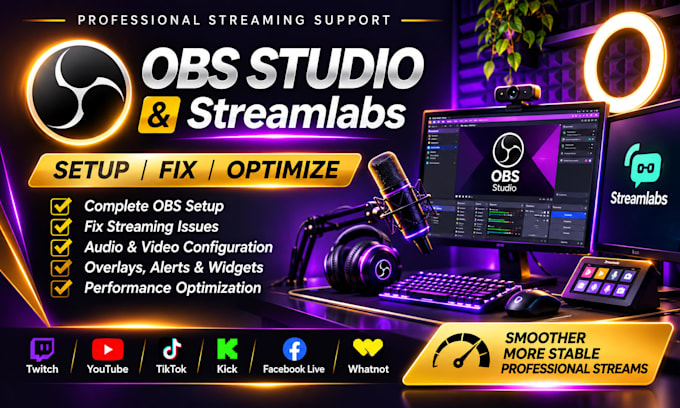
Is your OBS Studio or Streamlabs giving you streaming problems? Experiencing audio issues, black screens, lag, dropped frames, or struggling to get everything working properly?
I'm here to help!
I provide professional OBS Studio and Streamlabs setup, optimization, and technical troubleshooting to help you achieve a smooth, stable, and professional streaming experience.
WHAT I CAN DO:
WHY WORK WITH ME?
I focus on understanding the problem, finding the right solution, and making sure your setup works as expected. Whether you're a beginner or an experienced streamer, I'll help simplify the technical side so you can focus on creating great content.
Don't let technical issues interrupt your next stream!
CONTACT ME BEFORE ORDERING if you have a specific issue or need a custom setup.
CLICK ORDER NOW or MESSAGE ME TODAY, and let's get your stream working smoothly!
Software:
OBS Studio
Platform:
•
Twitch
•
YouTube
•
Kick
Purpose:
Gaming
•
Music
•
Lifestyle
•
Business
•
News
•
Streamshare
•
Webinar
1. Can you fix existing OBS Studio or Streamlabs issues?
Yes! I can troubleshoot issues such as black screens, audio problems, dropped frames, lag, capture card errors and other streaming-related problems.
2. Do you work with both OBS Studio and Streamlabs?
Yes! I provide setup, configuration, optimization and troubleshooting for both OBS Studio and Streamlabs.
3. Which streaming platforms do you support?
I support Twitch, YouTube, TikTok, Kick, Facebook Live and Whatnot, depending on the required setup and platform compatibility.
4. What information do you need before starting?
I'll need to know your streaming platform, software, computer specifications, connected equipment and a brief explanation of what you need or what isn't working.
5. Can you configure my microphone, camera and capture card?
Yes! I can help configure microphones, webcams, cameras, capture cards and audio routing, provided your hardware and drivers are compatible.
6. Do I need to share remote access to my computer?
Remote access may be required for hands-on configuration and troubleshooting. We can discuss a suitable method before starting. Never share passwords or sensitive account information.
7. Can you handle custom streaming setups outside your packages?
Absolutely! If you need dual-PC setups, advanced audio routing, multiple cameras, Stream Deck integration or complex streaming configurations, contact me for a custom offer.
