Browse categories
English
$
USD
Connect to your AI
Streaming Technician OBS Studio and Audio Setup Expert
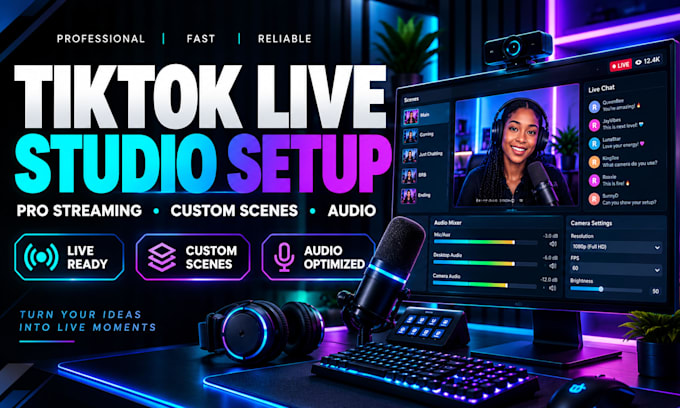
Want to stream on TikTok with a clean, professional setup? I will configure TikTok LIVE Studio remotely so your camera, microphone, scenes, and streaming settings are ready for your content.
For gamers, creators, educators, and live sellers. Depending on your package,
WHAT THIS GIG OFFERS:
I will work with you remotely to configure the software and check your equipment. Results depend on your hardware, internet connection, and TikTok account access.
Please ensure TikTok LIVE access is available on your account. I cannot guarantee account approval or bypass TikTok restrictions.
Custom graphics, advanced integrations, or issues outside your package may require an extra offer.
Kindly contact me before ordering if you have a specific camera, microphone, game, or streaming goal. Let's get your TikTok LIVE Studio ready for a professional stream.
Software:
OBS Studio
Platform:
•
Twitch
•
YouTube
•
Mixer
•
GosuGamers
•
DLive
•
Kick
•
Other
1. What do you need from me to start?
Please have TikTok LIVE Studio installed if possible, and make sure you can access your computer during our remote session. I will also need to know your streaming goal, camera and microphone details, and any issues you want addressed. Do not send passwords or verification codes.
2. Do I need TikTok LIVE access before ordering?
Yes, you should already have permission to go LIVE through TikTok LIVE Studio. Access rules can vary by account and region, and TikTok makes the final decision. I can help you check the setup, but I cannot approve access, remove restrictions, or guarantee eligibility.
3. Will you set everything up remotely?
Yes. I provide setup through a remote session, so you can watch the process and approve changes on your computer. You must be available during the session and install any required remote-access tool yourself. I will not ask you to share your TikTok password or verification codes.
4. Can you set up my camera, microphone, scenes, and overlays?
Yes, items depend on your package. I can configure compatible cameras and microphones, organize scenes and sources, adjust audio and stream settings, and place basic overlays you provide. Custom graphic design and complex integrations are not included unless agreed first.
5. Can you guarantee my stream will have no lag?
I will adjust settings for your computer and connection and test the setup where possible. Performance also depends on your hardware, internet stability, background apps, and TikTok services, so I cannot promise zero lag or uninterrupted streaming in every situation.
6. What if I want a setup not listed in the packages?
Please message me before ordering and describe your goal, equipment, and any apps or overlays you want to use. I will review the scope and let you know whether it fits a package or needs a custom offer. This helps us agree on the work and delivery time clearly.
