Browse categories
Explore
Fiverr Pro
English
$
USD
Live Streaming Specialist OBS Studio Streamlabs TikTok Live
Level 1
Has met certain performance criteria and shows strong potential in the marketplace.
Want a professional Whatnot livestream that looks polished and helps you sell with confidence? You're in the right place.
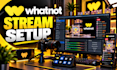
I provide Whatnot livestream setup with OBS Studio, helping sellers create smooth, high-quality live shopping experiences. Whether you sell trading cards, collectibles, sneakers, fashion, electronics, jewellery, or other products, I'll tailor your stream for reliable performance.
What I can do:
- OBS Studio setup and optimisation
- Whatnot streaming configuration
- Single or multi-camera setup
- Product camera and vertical layouts
- Professional scenes and transitions
- Microphone and audio configuration
- Custom overlays, branding and graphics
- Stream Deck integration
- Video optimisation and testing
- Troubleshooting and technical support
Every setup is tailored to your equipment, products and goalsnot a one-size-fits-all template.
Why choose me?
- Professional, personalised setup
- Clear communication
- Attention to detail
- Testing before delivery
- Support throughout the project
Ready to improve your Whatnot livestream? Click Continue to get started, or message me to discuss your setup. Let's get your stream ready for your next show!!!

1: Can you set up OBS Studio for my Whatnot livestream?
Yes! I can help configure OBS Studio for your Whatnot livestream, including scenes, sources, cameras, audio, overlays, and stream settings. Every setup is tailored to your equipment and requirements, subject to Whatnot's current streaming compatibility.
2: Can you set up cameras and product views for live selling?
Absolutely! I can help configure your camera sources and product views for a clear, professional live selling presentation. Whether you use one camera or multiple cameras, the setup will depend on your equipment, computer capabilities, and streaming requirements.
3: Can you create custom overlays and professional stream layouts?
Yes! I can help create and configure professional stream layouts, overlays, labels, branding elements, and OBS scenes to match your products and selling style. Please share your preferred design, brand colours, and any reference images before ordering.
4: Can you configure my microphone and fix audio problems?
Yes! I can help configure your microphone, audio sources, levels, and supported filters in OBS Studio. I can also troubleshoot common audio issues, such as low volume, background noise, or incorrect source routing, depending on your equipment and setup.
5: Can you set up Stream Deck and scene transitions?
Yes! If you have a compatible Stream Deck, I can help configure supported actions for scene switching and other streaming controls. Tell me your device model and the actions you want to automate so I can confirm the setup requirements before we begin.
6: Can you fix an existing Whatnot or OBS streaming setup?
Yes! I can help troubleshoot OBS configuration, video quality, dropped frames, audio issues, scene problems, and other supported streaming difficulties. Please describe the issue and share your computer specifications and current setup so I can assess the best solution.
7: What do you need from me before starting the setup?
Please provide your computer specifications, operating system, camera and microphone details, current OBS status, and the features you need. If possible, include screenshots or a short explanation of your goal so I can determine the right configuration for your setup.
