Browse categories
Explore
Fiverr Pro
English
$
USD

Level 1
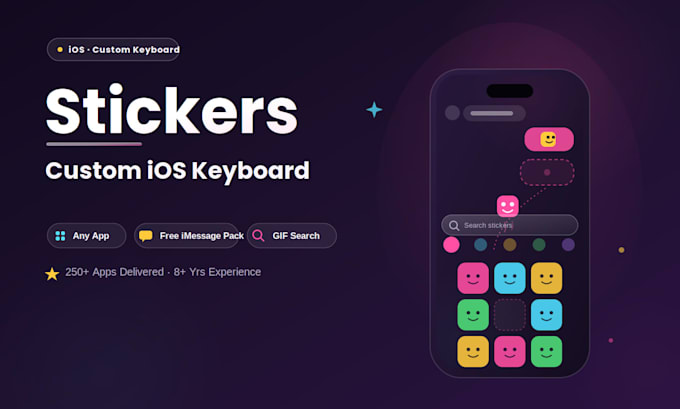
Stickers and GIFs that work everywhere your users type not locked inside one app.
I'm a Senior iOS Developer with 8+ years of experience and 250+ apps shipped across the Apple ecosystem, with hands-on expertise building custom keyboard extensions and iMessage extensions. I build clean, reliable Swift apps that turn your sticker or GIF library into a real system-wide keyboard not just a one-off iMessage pack.
What I offer:
⭐ Why work with me:
Message me before ordering tell me how many stickers/GIFs you have and whether you want search included, and I'll recommend the right package.
Mobile App Developer, Swift, SwiftUI, Quick App Updates, MVP, Fixes
Level 1
Languages
How does a custom keyboard actually get a sticker into another app?
iOS doesn't allow third-party keyboards to insert images directly into a text field — that's an Apple platform restriction, not a build limitation. Tapping a sticker copies it to the clipboard, and the user pastes it in. This is exactly how Gboard and every other sticker keyboard on the App Store wo
Will it work in WhatsApp, Instagram, and other apps — not just Messages?
Yes — once a user enables it under Settings > Keyboards, it's available system-wide, in any app with a keyboard.
What's the actual difference between the keyboard and the iMessage sticker pack?
The keyboard works anywhere via copy-paste. The iMessage sticker pack is a separate, simpler extension that only works inside Messages — but stickers can be dragged straight onto a bubble, no copy-paste needed, and it's free for your users to download.
Does the keyboard need "Full Access," and is that a privacy concern?
Full Access is only required for things like live GIF search or clipboard access. I'll only request it if your feature set actually needs it, and make sure the permission prompt clearly explains why.
Do I need to supply the stickers and GIFs myself?
Yes — you provide the artwork (PNG for static, APNG/GIF for animated).
Do I need my own Apple Developer account?
Yes, it's required to publish both the keyboard app and the iMessage sticker pack. I'll guide you through setup or submit directly if you share access.
Will I own the source code?
Yes, full source code and ownership are yours on delivery — no ongoing licensing fees to me.
Do you sign NDAs?
Absolutely — happy to sign one before discussing sensitive project details.
