Browse categories
English
$
USD
Connect to your AI
Custom Twitch Overlays Chatbots and OBS Optimization
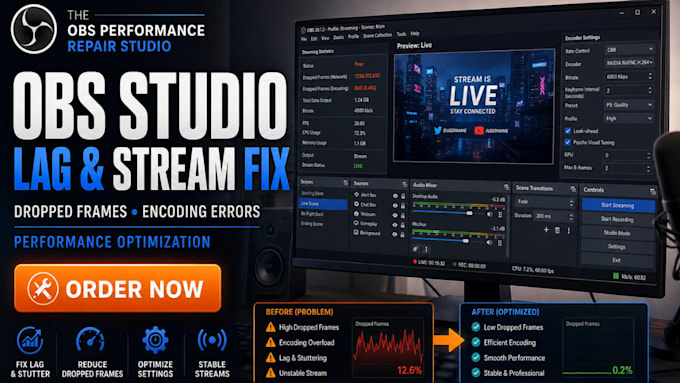
Is your OBS recording smooth while your live stream keeps dropping frames? Does OBS show Encoding Overloaded, does your stream look blurry despite a good internet connection, or does your game FPS drop as soon as you start streaming?
These problems often come from incorrect encoder settings, excessive output demands, unsuitable bitrate configuration, capture conflicts, or audio routing issues.
I will troubleshoot your OBS Studio configuration, identify the likely cause of your streaming problem, and adjust the settings that need attention based on your PC specifications, internet upload speed & streaming platform.
OBS PROBLEMS I TROUBLESHOOT
HOW I APPROACH YOUR OBS FIX
PLATFORMS I SUPPORT
Twitch, YouTube, Facebook Gaming, and Kick.
Get your streaming configuration properly now.
Software:
OBS Studio
Platform:
•
Twitch
•
YouTube
•
Kick
OBS says "Encoding Overloaded" even though my PC has a dedicated graphics card. Can you fix it?
Yes. I can inspect your encoder selection, GPU usage, output resolution, FPS, and encoder preset to identify settings that may be overloading your system.
OBS shows dropped frames, but my internet speed test is good. What's wrong?
A good speed test does not always mean a stable streaming connection. I can investigate your bitrate, network-related settings, selected server, and OBS statistics to narrow down the cause.
My OBS stream is lagging, but my local recording is perfectly smooth. Can you troubleshoot this?
Yes. This often points to a difference between recording and streaming output settings or a network-related issue. I can examine both configurations and troubleshoot the relevant settings.
Can you configure OBS to stream at 1080p 60FPS without overloading my PC?
I can configure suitable resolution, FPS, encoder, bitrate, and output settings based on your CPU, GPU, and upload bandwidth. Actual performance depends on your hardware and connection.
OBS runs smoothly until I open a game. Can you fix the performance drop?
Yes. I can review Game Capture, GPU usage, rendering load, encoder settings, and scene sources to identify possible conflicts or excessive resource usage.
My NVIDIA NVENC encoder is available, but OBS still performs poorly. Can you optimize it?
Yes. I can review NVENC configuration, preset, rate control, keyframe interval, resolution, and FPS to determine whether your current settings are appropriate.
