Browse categories
Explore
Fiverr Pro
English
$
USD
CRM Implementation, Migration and Revenue Operations
Are sales processes still dependent on employees remembering every step? Or are your Zoho applications handling customer information separately, forcing your team to repeat manual work?
I configure Zoho CRM business processes around how your company actually operates.
CHOOSE THE SERVICE YOU NEED:
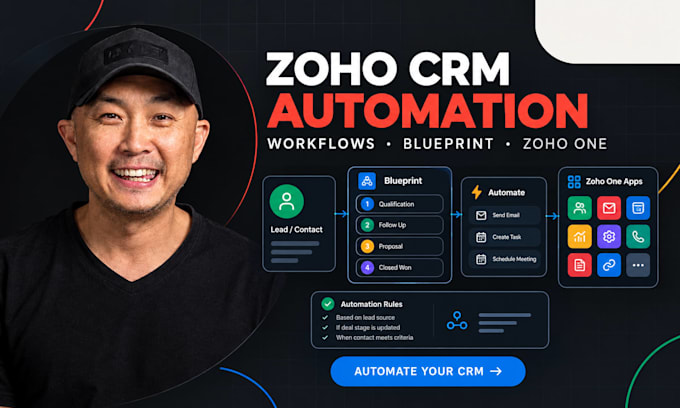
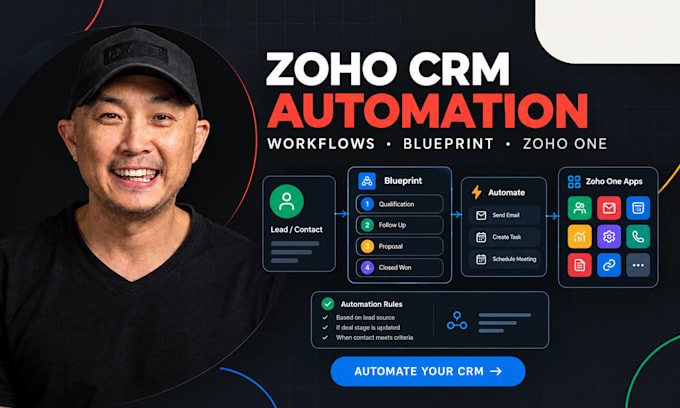
Blueprint Setup - enforce required stages, information, and process transitions.
Workflow Automation - automate agreed triggers, task creation, alerts, assignments, and field updates.
Zoho One Integration- connect Zoho CRM with a supported Zoho app through an agreed cross-app workflow.
Tell me which process you want to improve and which Zoho apps your business uses. I'll confirm feasibility and the appropriate package before you order.


Software:
Zoho
What is the difference between a Zoho workflow and a Blueprint?
A workflow automates actions when specified triggers and conditions are met. A Blueprint guides users through a defined process and can enforce required information and transition rules.
Which Zoho CRM subscription supports Blueprint?
Blueprint is available from Zoho CRM Professional upward according to Zoho's current edition guide. We'll confirm the features available in your actual account before starting.
Can you connect Zoho CRM to Zoho Books or Zoho Desk?
Potentially, yes. I'll confirm the supported native integration or connector, required permissions, data mapping, and desired workflow before accepting the integration project.
Does the Premium package include every Zoho One application?
No. Premium covers one agreed connection between Zoho CRM and one supported Zoho application, with one defined workflow. Additional applications and workflows require separate scope.
Can you build custom Deluge functions?
Custom Deluge development is not automatically included in these packages. It requires a separate review of the required logic, APIs, and testing requirements.