Browse categories
Explore
Fiverr Pro
English
$
USD


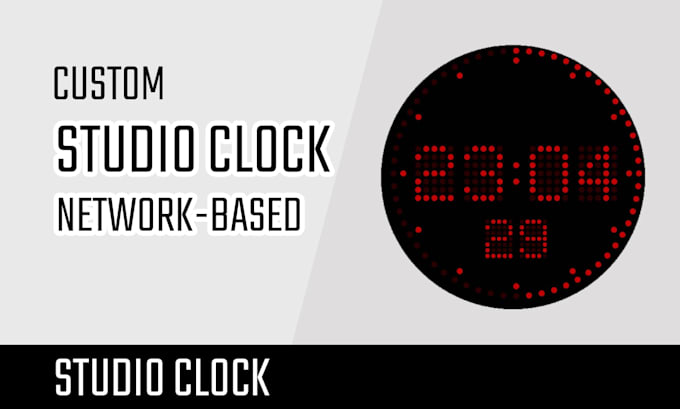
Network-based Studio Clock and visual information display system designed for broadcast studios. It provides accurate time synchronization and on-screen information tailored to live production environments.
The Studio Clock integrates seamlessly with NTP time servers to ensure precision timing across the facility. It can display time, countdown on multiple screens simultaneously.
Its scalable architecture supports multiple instances on a local network, making it ideal for large installations.
Web-based control for all displays, can be used on every platform (Windows, Linux, Mac).
Purchase the basic package to get the full application, with optional Design Customization and Feature Expansion available.
Before placing your order, please prepare:
If you have any questions about the Studio Clock, feel free to contact me anytime! You can also check the Q&A section for quick answers.
Web Developer
Languages
How does it work? Technical Specifications.
The application runs on a Node.js server with HTTP, WebSocket, and NTP services for precise timing. Clients connect via a provided URL, and the Studio Clock is rendered using HTML5 Canvas and JavaScript. Configurable settings include server IP, HTTP/WebSocket ports, and two NTP hosts.
What does the basic version include?
It contains executable source code plus a user and installation guide. The app runs on a server, and clients connect via a web browser. Each client can prepare and start two countdown types: -Duration (e.g., 05:03) -Target time (e.g., 15:30) Countdowns start by clicking Start or pressing Space.
How do I install and use the Studio Clock?
You need Node.js installed on the server. The app was built for Node.js v22.17.1; contact me if you need support for older versions. PM2 is recommended but not required. A full installation and user guide is included.
Why might you need to consider the render resolution?
The current resolution of 3400×2045 ensures the Studio Clock displays clearly and without pixelation on Full HD screens. However, you may want to use different screen sizes or display quality settings.
Can the functionality or appearance be modified or extended?
Of course! Any change is possible. You can request design updates or new features when ordering by selecting the options. For behavior changes, choose the extension option and describe your needs, or contact me directly to discuss them.
On which operating systems and devices can the Studio Clock run?
The clock can be displayed on any device capable of running a web browser.
Does it include long-term product support?
Yes, absolutely. If you notice any bugs or irregular behavior, feel free to contact me and I will update the software free of charge. You can also reach out later if you want to add extra features or change the clock’s appearance.