Browse categories
Explore
Fiverr Pro
English
$
USD
Professional Streaming Setup Technical Support
Need help getting your TikTok LIVE stream working properly?
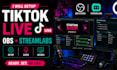
I will setup OBS and Streamlabs for TikTok LIVE, whether you're starting from scratch or already have your streaming software installed and need help configuring it correctly.
I'll build your setup around your computer, camera, microphone, internet connection and content style so your workflow is clean, organized and ready for live broadcasting.
What I can help with:
Already have a setup but something isn't working? I can help identify and correct common issues with audio, video, sources, scenes and streaming configuration.
Whether you're a gaming creator, content creator, live seller or TikTok personality, I'll help you create a reliable and easy-to-manage TikTok LIVE workflow.
Send me your current setup and tell me what you want to achieve on TikTok LIVE, and let's get you ready to stream.

Software:
OBS Studio
Platform:
•
Twitch
•
YouTube
•
Mixer
Purpose:
Gaming
•
Music
•
Lifestyle
•
Business
•
News
•
Streamshare
1. Can you set up OBS for TikTok LIVE?
Yes. I can configure OBS specifically for TikTok LIVE and integrate your camera, microphone, audio sources, scenes and graphics.
2. Can you set up Streamlabs too?
Yes. I can configure Streamlabs and integrate its alerts, widgets and other available features into your streaming workflow.
3. Can you set up my camera and microphone?
Yes. I can configure your available camera, microphone, desktop audio and other sources.
4. Can you integrate my existing overlays?
Absolutely. Send your existing graphics and I can integrate them into your scenes.
5. Can you help if my TikTok stream isn't working?
Yes. I can review your OBS/Streamlabs configuration and troubleshoot common audio, video, source and streaming issues.
