Browse categories
Explore
Fiverr Pro
English
$
USD


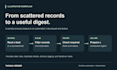
Turn a repetitive intake, tracking, or email task into one clear workflow. I build Make automations using Google Sheets, email, and supported app integrations.
Examples include collecting submissions, filtering records, preventing duplicates, updating a sheet, and creating a scheduled digest. I have developed and tested a Sheets-based opportunity pipeline with filtering, duplicate checks, approved-recipient checks, and delivery logging.
Each package covers ONE agreed workflow, sample-input testing, setup notes, and handoff. Basic connects up to 2 apps with 1 trigger and 3 actions. Standard covers up to 3 apps, 1 trigger, and 6 actions with filters and deduplication. Premium covers up to 3 apps, 1 trigger, and 10 actions, including a digest OR one Sheets summary tab (up to 5 metrics) and simple logging.
Please message me with your process before ordering so we can confirm scope and access. You provide the required accounts and subscriptions. I may use AI-assisted tools, then review and test the work. Seven days of bug fixes cover the agreed delivered scope. Savings and business results are not guaranteed.
Workflow Automation and Internal Tools
Languages
What counts as one workflow?
One defined process with one trigger and a single agreed business outcome. Unrelated automations are separate workflows and need a separate quote.
What counts as an app, trigger, or action?
An app is a connected service; Make itself does not count. A trigger starts the workflow. An action is an agreed functional step, including filters and storage. Repeating a step per record does not multiply the action count. We agree the scenario outline before ordering.
Which integrations are included?
The initial offer uses supported Google Sheets, Gmail, Google Forms, and RSS connectors available on your plans. Custom APIs or code, unsupported services, historic imports, web scraping, and payments require separate assessment and pricing.
Do I need paid accounts?
You provide your own accounts and the subscriptions or usage allowance the workflow needs. Make and third-party app fees are excluded.
How should I provide access?
Use supported collaborator invitations or authorize connections yourself. Do not send passwords, keys, or private client records in the initial message. A sanitized sample of up to 100 rows is enough for scoping and agreed acceptance checks.
Will the workflow send email automatically?
Only if automatic sending is in the agreed scope and you approve the audience and content rules. Otherwise it can create drafts or a digest for review. Purchasing recipient lists and running outreach campaigns are excluded.
What testing and support are included?
We agree checks with up to 100 sanitized sample rows and relevant edge cases, plus setup notes and handoff. Seven days of fixes cover reproducible defects against those checks in the delivered scope. Ongoing monitoring, new requirements, and changed integrations are excluded.
What is a revision?
Each revision is one consolidated request to adjust the work within agreed requirements. Changed apps, inputs, triggers, business rules, or outcomes are new scope and may need a new quote.
Do you use AI or guarantee results?
I may use AI-assisted tools for implementation and documentation, then review and test the work. I do not guarantee savings, sales, leads, uptime, or continuous availability.
What does the Premium dashboard include?
Choose a scheduled digest OR one Google Sheets summary tab with up to five agreed metrics before ordering. The summary tab is part of the same workflow; it is not a separate web application. Premium also includes simple run or delivery logging within its step limit.


