Browse categories
Explore
Fiverr Pro
English
$
USD
Made with Love
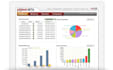
The PowerMTA Management Console (PMC) is a web-based enterprise software solution for centralized configuration, monitoring, and reporting of one or more PowerMTA installations. It is a separate component from PowerMTA and works with PowerMTA version 4.x and 5.x
The PMC provides several key features:
Centralized management of multiple PowerMTA nodes.
Real-time monitoring of email delivery performance.
Detailed reporting and analytics.
Configuration management across PowerMTA instances.
User access control and management.
By using the PowerMTA Management Console, administrators can efficiently oversee their email delivery infrastructure, optimize performance, and ensure maximum deliverability for their email campaigns.
REQUIREMENT:
Hardware requirements for optimal PMC performance include:
CPU: Minimum 4 processors
RAM: 8GB required
Storage: 200GB minimum, 500GB or more recommended
Bandwidth: 500Kb/s

Software type:
Control Panels
Can PowerMTA Management Console run on a virtual server?
it is technically possible to run PowerMTA on a virtual server, this setup is not recommended unless specific conditions are met. The virtual server must have adequate hardware resources and be correctly configured to make PMC work correctly
What versions of PowerMTA are compatible with PowerMTA Management Console?
PowerMTA v4.x and v5.x are the only versions of PowerMTA that support using PowerMTA Management Console.
Can PowerMTA run on the same machine as the PowerMTA Management Console?
While it is technically feasible to run both PowerMTA Management Console (PMC) and PowerMTA on the same machine, this configuration is not recommended. Sharing resources between these two components can lead to potential performance issues, especially under high load conditions.
