Browse categories
Explore
Fiverr Pro
English
$
USD
Your creativity is my inspiration
Do you copy the same invoice data into Excel every week or every month?
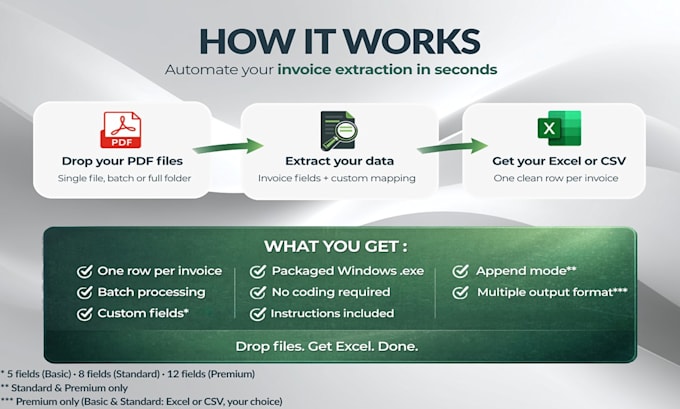
I'll build a Windows app that does it in one click drop your files, get a clean spreadsheet.
What you get:
Packages:
Important:
Not sure your files fit? Message me before ordering I'll reply within 24h.


Technology:
Excel
•
Python
What do I receive?
You receive a ready to use Windows executable that processes your invoice files and exports the results to Excel or CSV.
Will this work with any PDF?
No. This works best for recurring text based PDFs with the same layout family.
What do you need from me before starting?
Please send 2 to 5 sample PDFs, the fields you want to extract, and the output column names you need.
Can I process many PDFs at once?
Yes. The workflow can process one file, multiple files, or a whole folder.
Will I get one Excel file per PDF?
No. The normal workflow is one consolidated Excel or CSV file with one row per file. Append is included in higher packages for future batches.
Do you support scanned PDFs or OCR?
If your files are scanned, please message me before ordering. OCR support depends on scan quality and may require a custom offer.
Can you connect it to my accounting workbook?
The safest delivery is a dedicated master Excel or CSV file. Message me first for custom integration requests.
What is the difference between the packages?
The main differences are the number of fields, the number of invoice formats supported, and whether append is enabled for future batches.
What if I need more than 12 fields?
If you need more than 12 single value fields, please message me first. I can review your files and send a custom offer if needed.
Is my data safe?
Your documents are used only to configure the extraction and are deleted after delivery. The tool runs entirely on your machine. No data is sent to any server.