Browse categories
Explore
Fiverr Pro
English
$
USD
Email Migration Specialist
About This Gig:
Hi, I'm Umar.
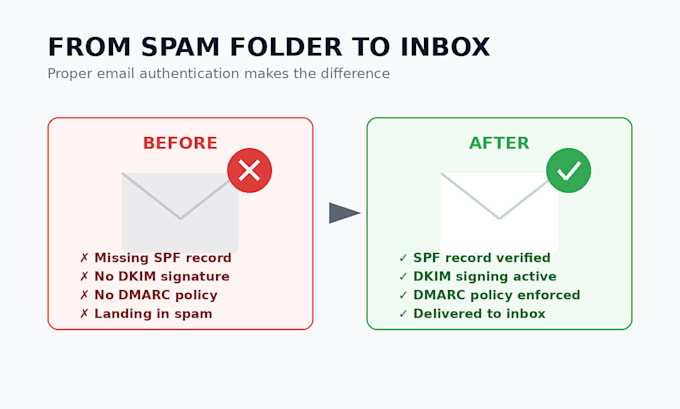
If your emails are landing in spam, bouncing, or getting flagged as suspicious, the root cause is almost always a misconfigured or missing SPF, DKIM, or DMARC record. I diagnose and fix these authentication records so your domain is trusted by Gmail, Outlook, Yahoo, and every major inbox provider.
What I will do:
Please message me before ord


Email Provider:
Gmail
•
Microsoft Outlook
•
Outlook
•
Mailchimp
•
Webmail
Expertise:
Security
•
Spam
•
Setup
•
Configuration
•
Migration
Why are my emails going to spam even though I didn't change anything?
Spam filters update constantly. A record that worked a year ago can fail today if your provider changed sending IPs or your DNS was edited by someone else.
What's the difference between SPF, DKIM, and DMARC?
SPF tells receiving servers which servers are allowed to send mail for your domain. DKIM adds a digital signature proving the email wasn't altered in transit. DMARC tells receiving servers what to do if SPF or DKIM checks fail, and gives you reports on abuse of your domain.
Will this guarantee my emails never go to spam?
No one can guarantee 100% inbox placement — content, sending reputation, and recipient behavior all play a role. What I fix is the technical authentication layer, which is the foundation every major inbox provider checks first.
What access do you need from me?
Access to your DNS management panel (GoDaddy, Namecheap, Cloudflare, cPanel, etc.) and, if applicable, your email provider's admin console for DKIM key generation.
How long until changes take effect?
DNS changes usually propagate within 30 minutes to a few hours, though some registrars can take up to 24-48 hours.