Browse categories
Explore
Fiverr Pro
English
$
USD




Most tutorials show you how to upload a file. Nobody shows what breaks in production no size limits crashing your server, public URLs exposing private documents, or uploads timing out because the entire file buffers in memory before going anywhere.
I integrate Digital Ocean Spaces or AWS S3 uploads directly into your existing Node.js or Next.js app, handling the parts that matter in production.
What I get right that basic implementations miss:
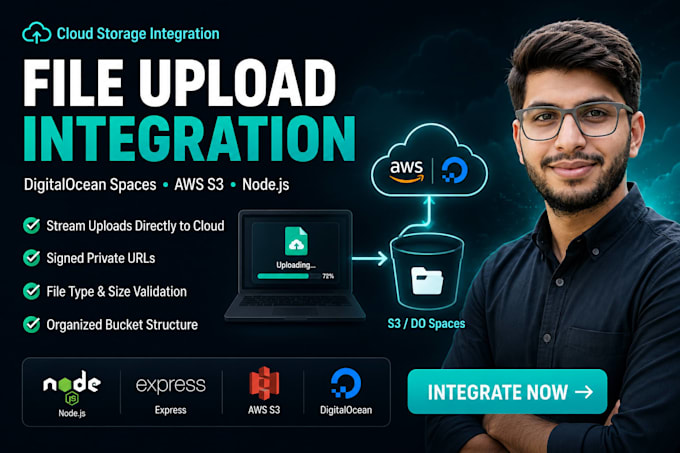
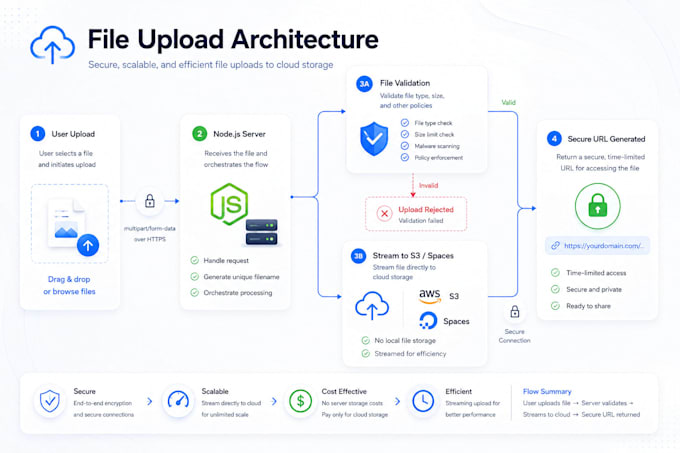
Stream uploads directly to storage no buffering in server memory, which kills performance on large files.
Signed URLs for private files sensitive documents stay private, not accessible to anyone with a link.
File type and size validation on the backend not just frontend checks any user can bypass.
Clean folder structure in your bucket files are organized and retrievable, not dumped in a flat list.
I built exactly this for SyncVela, a real-time collaboration platform with file sharing link in my portfolio.
Stack: Node.js, Express, Next.js, TypeScript, Multer, AWS SDK v3, Digital Ocean Spaces.
Message me before ordering if unsure which package fits.
Real time web apps that don't break when traffic shows up
Languages
Do you need access to my codebase?
Yes — GitHub/GitLab access or the relevant backend files are enough to start.
Does this work with both Digital Ocean Spaces and AWS S3?
Yes — both use the S3-compatible API, so the integration works for either. Tell me which you're using when you order.
Can you set up the bucket itself or just the code integration?
Both — I can create and configure the bucket with proper permissions, or work with one you already have. Mention this when ordering.
What file types can you support?
Any — images, PDFs, videos, documents. I add validation so only the types you specify are accepted.
Will this work with my existing auth system?
Yes — I integrate with whatever auth you already have so only authorized users can upload or access files.