Browse categories
Explore
Fiverr Pro
English
$
USD
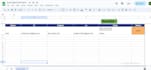
Once you update columns A to E, click "Send Email". The system will automatically send an email to the recipient listed in column B and column D. After the email is successfully sent, column F will be updated with the status "Sent", confirming that the email was delivered successfully.
If you need to include any additional columns or data fields, I'd happily add them.

Technology:
Google Sheets
•
Other
Expertise:
Data flow
•
Data upload
•
Data validation
