Browse categories
Explore
Fiverr Pro
English
$
USD




_lmrtu8.jpg)
Welcome to my Gig
I will do fillable pdf forms by adobe acrobat pro dc
Are you looking for a professional fillable pdf forms creator? Yes, you are in the right place, in safe hands.
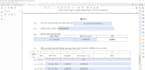
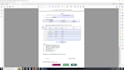
I can create an interactive fillable Portable Document Format form using your existing forms or documents such as MS Word, PDF., Excel, PowerPoint, Image, Hand written documents, OCR, Scanned pages to a fillable pdf. forms or redesign/recreate it to make look more professional.
I can convert the document into fillable pdf. forms/editable/interactive/dynamic forms.
Fillable Form Features:
· Date picker
· Text field
· Check box
· Radio button
· Drop-down
· Image upload
· Calculation (Sum, product, minus, average)
· Reset/Print/Save button
· Signature [Please contact]
Why Choose This Gig?
Your satisfaction is my first priority. Looking forward to working with you soon.
Feel free to Message me for a custom form. Support is available 24/7.
Please inform the freelancer of any preferences or concerns regarding the use of AI tools in the completion and/or delivery of your order.
I will do fillable PDF forms AutoCAD 2D Plan or Layout
Languages
1. What source files do you need to start the project?
I can work with almost any source file, including MS Word (.docx), Excel (.xlsx), scanned images (JPG/PNG), or a non-fillable PDF. The cleaner the source, the faster the process!
2. Do you use Adobe Acrobat or third-party software?
Yes, I use Adobe Acrobat Pro DC exclusively. This ensures your final PDF form is industry-standard, compatible across all devices, and fully reliable.
3. Can you add automatic calculations or conditional logic?
Yes, absolutely. I specialize in implementing JavaScript for complex automatic calculations, data validation, and conditional field logic for advanced forms (included in Standard/Premium packages).
4. Is the final PDF form compatible with all devices (PC, Mac, mobile)?
Yes. All forms are thoroughly tested to ensure full functionality and responsiveness when opened in standard PDF readers on PC, Mac, and mobile devices.
5. Can I still edit the form design after you deliver it?
You will receive the final, functional fillable PDF. If you require the editable source file (e.g., the original InDesign or the specific Acrobat source format), please select the appropriate Gig Extra.
6. How do you handle sensitive or confidential documents?
I treat all client documents with strict confidentiality. Files are handled securely and deleted from my system once the order is successfully completed and approved by you.
7. Do you include digital signature fields?
Yes, I can add secure, compliant digital signature fields that are compatible with platforms like Adobe Sign or DocuSign, depending on your needs.
8. What if I only have a sketch or a scanned handwritten document?
That's no problem! I can redesign the form from scratch based on your sketch or scan, ensuring a clean, branded, and professional final design before adding the fillable fields.
9. How many revisions are included in the price?
The number of revisions varies by package (As mentioned). Please review the package details before ordering to ensure it meets your needs.
10. What is included in the "Branding" feature?
Branding includes integrating your logo, selecting colors that match your company's guidelines (if provided), and using consistent, professional typography across the entire form.


