Browse categories
Explore
Fiverr Pro
English
$
USD
Manually copying data from multiple Excel files into one master spreadsheet every month?
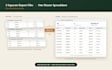
If you get separate reports from different branches, regions, or months and combine them by hand or pay someone to do it once there's a faster way. I build a macro that merges all your files automatically, and you can reuse it every time new files come in, at no extra cost.
How it works:
What's included:
Whether it's 5 files or 50, if you're tired of manual copy-paste, let's automate it.

Platform:
Excel
•
Google Sheets
•
VBA
Development technology:
VBA
•
Excel
•
VLOOKUP
Expertise:
Fixing
•
Formulas
•
Macros
•
Cleaning
•
Data validation
Q: Do all my files need to look exactly the same?
A: They need the same column headers and layout (e.g., always "Date, Product, Qty..." in that order). If a file doesn't match, the macro automatically skips it and tells you which one — it won't merge mismatched data incorrectly.
Q: What if I add new files next month — do I need to order again?
A: With Standard or Premium, no — you keep the reusable macro and can re-run it anytime new files show up, at no extra cost.
Q: What happens to my original files — are they changed or overwritten?
A: No — your source files are only read, never modified. All the combined data goes into a separate master file.
Q: Can you also add calculations or formatting to the combined data, not just merge it?
A: Yes — that's included in Premium (e.g., totals, summaries, conditional formatting).
Q: Is my data safe? These are sometimes sensitive business files.
A: Yes — your files are used only to build and test your macro, and aren't shared or reused elsewhere.
