Browse categories
Explore
Fiverr Pro
English
$
USD
OBS Streaming Expert, Motion Graphics, Video Producer, IT Specialist
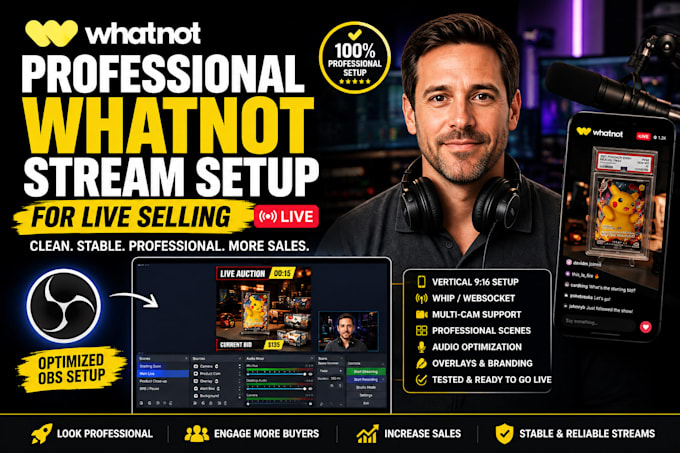
Struggling with laggy video, poor audio, or complicated OBS settings on Whatnot? Get a professional Whatnot stream setup that looks sharp, runs stable, and helps you close more sales.
I create a complete professional Whatnot stream setup using OBS Studio (vertical 9:16). Perfect for live selling, auctions, and card breaks. Your stream will be clear, mobile-friendly, and optimized so buyers stay longer and bid more.
What You Get with this Whatnot OBS setup:
Full OBS Studio configuration for Whatnot (WHIP / Websocket)
Correct vertical canvas & output (720x1280 or 1080x1920)
Professional scenes (Starting Soon, Main Live, Product Close-up, BRB)
Multi-cam setup (face cam + product/overhead cam)
Audio optimization & mic routing
Basic overlays & branding
Bitrate, encoder & performance tuning
Testing + simple walkthrough
Ideal for trading cards, sports cards, Pokémon/TCG, collectibles, sneakers, fashion, electronics, and any Whatnot live selling or auction show.
I specialize only in Whatnot stream setup and OBS for Whatnot not generic Twitch setups. You'll get a clean, professional Whatnot stream that looks pro and runs smoothly so you can focus on selling.
Order now & message me
Software:
OBS Studio
Platform:
•
Twitch
•
YouTube
•
Mixer
Purpose:
Gaming
•
Music
•
Lifestyle
•
Business
•
News
Do I need OBS to sell on Whatnot?
No. Many sellers use the phone app. OBS is recommended when you want professional scenes, multi cam, better stability, and overlays for longer or higher quality shows.
Will this work on both Windows and Mac?
Yes. I set up OBS for Whatnot on both Windows and Mac computers.
Do you need remote access to my computer?
Yes, for the best results. I use secure tools like AnyDesk or TeamViewer to configure and test everything properly on your system.
Can you help with multi-cam, audio, and vertical format?
Yes. The setup includes correct vertical 9:16 format, multi cam (face + product cam), audio optimization, and scene creation so your stream looks professional and runs smoothly.
What if I have issues after the setup is done?What if I have issues after the setup is done?
Just message me. I provide support after delivery so you can go live with confidence.
Can you fix problems with my existing Whatnot or OBS setup?
Absolutely. I can troubleshoot and fix issues such as audio problems, lag, dropped frames, black screens, webcam issues, and stream performance.
What do I need before placing an order?
You'll need a computer, a Whatnot account, OBS Studio (or I'll help install it), and any webcam, microphone, or overlays you'd like included in your setup.
Can you create a custom stream layout for my brand?
Yes. I can create and organize custom scenes, overlays, and layouts that match your branding and provide a professional live-selling experience on Whatnot.
