Browse categories
Explore
Fiverr Pro
English
$
USD
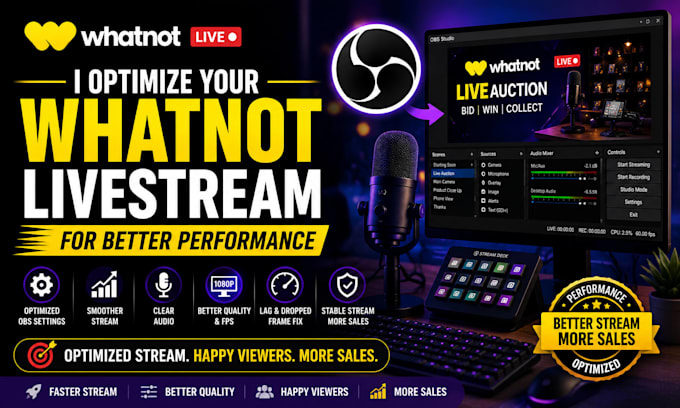
Did you Want a smoother, sharper, and more reliable Whatnot livestream?
If your Whatnot stream is lagging, dropping frames, suffering from poor audio, or not delivering the professional experience your audience expects, I can help.
I will optimize your Whatnot livestream and OBS Studio settings to improve performance, stability, and stream quality.
Whether you're a new or experienced seller, I'll fine-tune your setup so you can focus on selling while your stream runs at its best
What I'll optimize:
Why choose me?
Please contact me before placing your order
so I can review your current setup and recommend the best package for your needs.


Software:
OBS Studio
Platform:
•
Twitch
•
YouTube
•
Mixer
•
Kick
Purpose:
Gaming
•
Music
•
Lifestyle
•
Business
•
News
•
Streamshare
•
Webinar
1. What does livestream optimization include?
I'll optimize your OBS Studio settings, bitrate, resolution, audio, video, and overall performance to deliver a smoother Whatnot livestream.
2. Can you fix lag and dropped frames?
Yes. I'll identify performance bottlenecks and optimize your settings to reduce lag and dropped frames whenever possible.
3. Will you improve my microphone and audio quality?
Absolutely. I'll fine-tune your microphone settings, filters, and audio levels for clearer sound.
4. Can you optimize my camera settings?
Yes. I'll adjust camera settings within OBS for improved video quality and a more professional appearance.
5. Do I need to install any software?
You only need OBS Studio installed. If additional tools are beneficial, I'll let you know before making any changes.
6. Do you support both Windows and macOS?
Yes. I can optimize OBS Studio on both Windows and macOS.
7. Will I need to share my screen?
In most cases, yes. A secure screen-sharing session allows me to configure and test your setup directly.
8. Can you optimize my existing scenes and overlays?
Yes. I can organize and optimize your scenes, sources, and overlays for a cleaner workflow.
9. Is this service suitable for first-time Whatnot sellers?
Yes. Whether you're just getting started or already streaming regularly, I'll optimize your setup for the best possible results.
10. What do I need to provide before we begin?
Please provide access to your OBS setup (via screen sharing if needed), your Whatnot account details for streaming configuration, and any overlays or branding assets you'd like me to use.