Browse categories
Explore
Fiverr Pro
English
$
USD
Epicor Kinetic ERP Apparel Supply Chain Operations Execution Specialist
Welcome to Wisepro Global Operations!
I specialize in high-accuracy apparel ERP data entry and Item Master/SKU setup. I extract and set up data from CPO, CRF, Cost Sheet, OR Excel sheets based on your requirements.
CORE SERVICE & WORKFLOWS:
ATTRIBUTES (As Required): Style, Description, Size, Color, Cost, License & Mark ID, UPC (Client Provided), Gender, Item Style, Item Class, Item Material, Item Type, Label, Part Group, HTS Code, Buyer, Vendor, FOB etc,.
Please send me a message with your raw spreadsheets before ordering to discuss your document format and specific part setup requirements to ensure smooth execution!

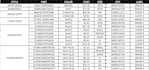
Tool:
Excel
•
Google Sheets
•
Other spreadsheets
1. How much experience do you have with Epicor ERP and apparel data management?
I have 6 years of experience working directly with Epicor Kinetic ERP, system specifically for the apparel and fashion industry. I specialize in generating accurate Item Masters, SKUs, Pre-Pack (PPK), Blank Style, and Parent-Child hierarchies from CPO, CRF, Cost Sheets or Excel sheets.
2. What source files do I need to provide to get started?
You need to provide access your Epicor Kinetic ERP system and raw product sheets (Excel/CSV) or CPO, CRF, Cost Sheets. I will extract the required details and configure the parts in Epicor according to your exact guidelines.
3. How are "Parts" counted for Package pricing?
Each Individual size or part counts as 1 Line-Item (system-generated or manually created). All updates on an individual part count as 1 Line Item. For PPK bundles or Assortments, each parent part and each child part created or updated counts as 1 line item each (1 parent + 1 child = 2 Line items).
4. What is included in the manually created part Setup?
Manually created part setup includes creating or updating Styles/item using your standard Master Templates (duplicating existing standard Part of a style and updating core attributes like Part Number, Description, Class, Size, Color, Cost, etc.,)
5. How do you ensure my data privacy and system security?
Your data security is my top priority. All files and system credentials are kept strictly confidential and used only for executing your order. Temporary files and login details are deleted immediately upon completion. I am also fully open to signing a Non-Disclosure Agreement (if required.)
6. How do you calculate line items for Standard Sales Order and Purchase Order?
Line items are calculated as the total number of lines across your Sales Orders or Purchase Orders, (e.g., 1 SO with 10 lines + 1 PO with 10 lines = 20 total line items) from your source documents.
7. How are Subcontract/Job PO line items calculated?
Subcontract/Job POs require extra operation routing in Epicor ERP. Therefore, 1 Subcontract/Job PO line counts as 2 line items towards your package limit (e.g., 2 Subcontract/Job POs with 5 lines each = 10 actual lines = 20 package line items).
8. What source documents & data are required for SO/PO/Subcontract/Job PO?
Provide CPO, CRF, Cost Sheet & SO. 1. SO: CPO (Style/Size/Color/Cost, Ship-To, Dates, Terms), Warehouse & Sales Person. PO: Vendor ID, Buyer, Shipping Window, Ship Via, Warehouse, Full Package Cost. Subcontract PO: All PO data + Blank Style/Size/Cost & Print Cost.
9. What happens if my source documents are missing key fields (like Style, Cost, or Warehouse)?
All mandatory fields (Vendor ID, Shipping Window, Shipping Terms, Warehouse, Blank/Print Costs etc.) must be provided in your source files before order execution starts. Missing data delays setup, so please ensure complete documents are attached when placing the order.


