Browse categories
English
$
USD
Connect to your AI

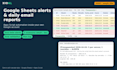

Tired of checking your spreadsheet every morning to see what's due?
I build Google Apps Script automations that live inside your own Google Sheet. They check your data on a schedule and email you a clear summary.
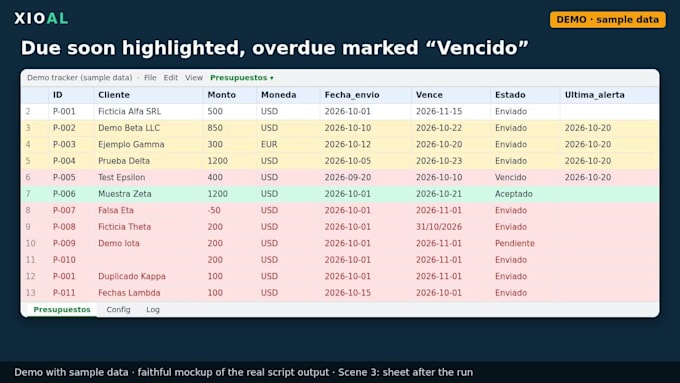
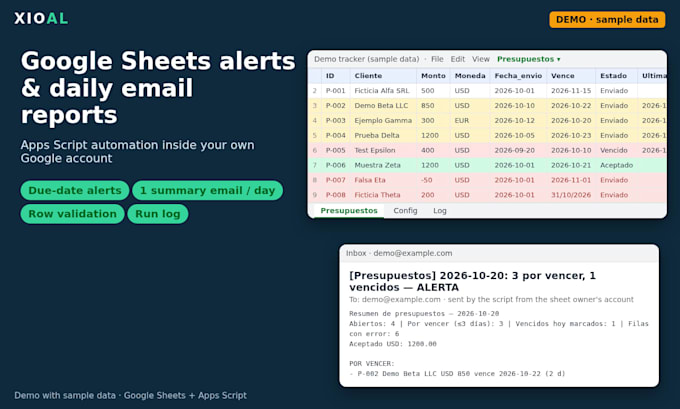
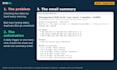
Example (real, tested in Google): a quote and invoice tracker that, every morning:
- flags items due in the next N days and marks overdue ones,
- validates each row (bad amounts, invalid dates, duplicate IDs, empty fields) and lists problems instead of guessing,
- sends one summary email per day in normal daily operation,
- logs every run in a "Log" tab.
How it is built:
- Runs inside your own Google account. It does not read your Gmail inbox.
- Minimal permissions: this spreadsheet only (@OnlyCurrentDoc) plus sending email as you.
- Settings (recipients, alert days, send hour) live in a Config tab you control, with validation.
- Time-zone safe dates, tested with automated tests before delivery.
- A short setup guide, plus a menu in the sheet to install or remove the daily trigger.
Send me your sheet structure (fake data is fine) and what you want automated, and I'll confirm the scope before you order.
Book formatting for Amazon KDP, EPUB and document conversion
Languages
Do you need access to my Google account?
No. I deliver the script and the steps, and you paste it and authorize it. If you prefer, share a copy of the sheet with fake data.
What permissions will it ask for?
This spreadsheet only, sending email as you, running on a schedule, and showing a menu. No Drive-wide or Gmail-reading access.
Can it email my clients?
It sends summaries to the addresses in your Config tab (up to 5). Emails to end customers are custom scope. Ask first.
Limits?
Google's free daily email quota applies (about 100 recipients a day on consumer accounts, more on Workspace). If the quota is exhausted, the script logs it and retries on the next run.
Excel or Airtable?
No. Google Sheets only.
What if my data has errors?
Bad rows are skipped and listed in the email under "REVISAR". They are never silently processed.
Maintenance?
After delivery, changes are a new order.