Browse categories
Explore
Fiverr Pro
English
$
USD


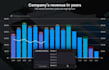
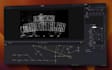
Unlock the full power of Fusion directly on your Edit page!
Do you want professional motion graphics, stunning effects, and seamless transitions without ever leaving the familiar timeline of the Edit page? I'm here to help.
Stop wasting time navigating complex Fusion nodes. I will build you a custom, drag-and-drop Fusion template (.drfx file) that puts all the power of Fusion into a simple, easy-to-use panel right where you need it.
What I Can Create For You:
Ready to elevate your editing workflow and leave your audience in awe? Send me your brief and any reference files, and I'll get back to you with the perfect offer.
Languages
I don't know how to use Fusion. Is that a problem?
Absolutely not! That's the whole point of this gig. I handle all the complex Fusion work. You will only interact with simple sliders and color pickers in the Inspector on the Edit page.
Can you recreate a template from Premiere or Final Cut?
Yes. If technically possible in Fusion, I can recreate or improve it.
Can templates include multiple animation styles?
Yes. I can create variations inside one template (animation styles, color presets, layouts).
What is a .drfx file?
It's the file format for DaVinci Resolve Fusion templates. Once you double-click it, the template is automatically added to your Effects Library (under the 'Fusion Templates' folder) and is ready to drag and drop onto your timeline. It's incredibly simple!
What version of DaVinci Resolve do I need?
I build templates to be compatible with DaVinci Resolve 17, 18, and 19 (both the free and Studio versions). Please let me know your version when you contact me.


