I will set up automatic tagging based on users department for defender for endpoint
About this Gig
What This Service Includes
- Creation and configuration of a secure App Registration in your Microsoft tenant
- Certificate-based authentication setup (2-year certificate lifecycle)
- Secure PFX certificate generation and configuration
- Automated device tagging for Microsoft Defender for Endpoint
- Department-based device tagging using Entra user attributes
- PowerShell automation deployment
- Scheduled Task configuration for automatic synchronisation
- Logging and error handling
- Validation and testing of tag updates
- Documentation and handover guidance
Supported Scenarios
- Department-based device classification
- RBAC preparation for security teams
- Dynamic device grouping
- Multi-site or multi-department organisations
- Intune-managed Windows devices
- Hybrid or cloud-only environments
Requirements
You must provide:
- Global Administrator or suitable delegated access
- A Windows device/server to host the scheduled task
- Appropriate Microsoft licensing for Defender for Endpoint APIs
Deliverables
- Fully configured automation solution
- Production-ready PowerShell scripts
- Scheduled automation setup
- Basic operational documentation
My Portfolio
FAQ
Will it automatically change the device tag if a person changes department?
Yes, when the automated script runs next the department change will be picked up and the new tag will replace the old tag
What will you need to carry out this work?
Entra ID global admin or Application Administrator and Security Administrator to Create app registration and grant admin consent. Devices must be in Intune with a primary user; Windows devices should be in Defender inventory Remote access to device that will be running scheduled script
What will i see in defender?
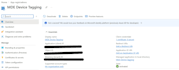
in Assets > Devices when you look at tags column you will see the users department as a tag
Why is this useful?
Automate Microsoft Defender for Endpoint device tagging using Microsoft Entra user attributes such as Department. Includes secure app registration, certificate authentication, scheduled automation, logging, testing, and production-ready deployment for streamlined endpoint management.