Browse categories
Explore
Fiverr Pro
English
$
USD

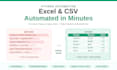

Drowning in messy Excel files? Let Python do the boring work!
Stop wasting hours on manual Excel tasks. I build custom Python scripts that clean, merge, and automate your spreadsheets - saving you HOURS every week.
WHAT I CAN DO FOR YOU:
Data Cleaning:
- Remove duplicates, blanks, and errors
- Fix inconsistent formats (dates, names)
- Standardize columns across files
- Filter and sort large datasets
Data Merging:
- Combine multiple Excel/CSV files into one
- Match and join data from different sources
- Reconcile records between sheets
Excel Automation:
- Auto-generate reports with charts
- Create pivot tables and summaries
- Extract data from PDFs into Excel
- Build reusable scripts you can run anytime
WHY CHOOSE ME:
- AI-powered for fast, clean code
- Works with files of any size (10 or 100,000+ rows)
- Free testing on YOUR sample data
- Easy setup, no Python knowledge needed
- Friendly support and free revisions
HOW TO START:
Send me a message with:
1. What task you need automated
2. A sample file (recommended)
3. Your goal (clean, merge, report)
I will reply within hours with a clear plan.
Let's automate your Excel work today!
Java and Python Developer, APIs, Automation and Data
Languages
What Excel formats do you support?
I work with .xlsx, .xls, .csv, and .tsv files. I can also convert between these formats.
Can you handle large Excel files?
Yes! My scripts work with files of any size - from 10 rows to 100,000+ rows. Python handles large data faster than Excel itself.
Do you need access to my real data?
No. Just send me a sample file (you can anonymize it). I will build and test the script, then you run it on your real data locally.
Will the script work on my computer?
Absolutely. I provide easy setup instructions or package the script as a one-click .exe (Windows). Works on both Windows and Mac.
What if my Excel file format changes later?
The scripts I build are flexible. For minor changes, you can edit settings yourself. For major changes, free revisions are included.


