Browse categories
Explore
Fiverr Pro
English
$
USD
I will build AI powered automation workflows for your business
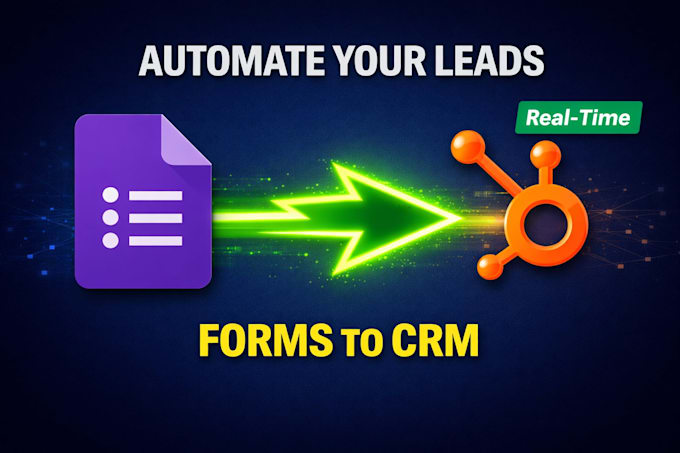
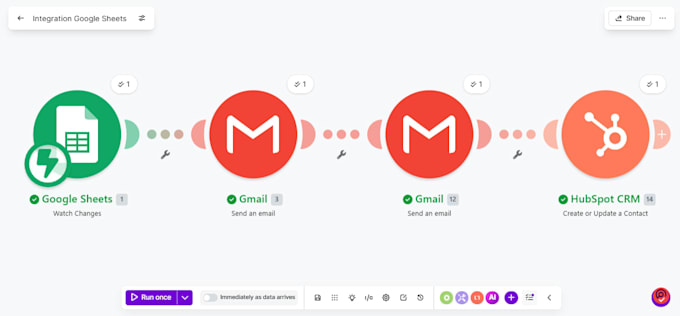
Are you still copying leads from Google Forms into your CRM manually? I will build you a fully automated workflow using Make.com that instantly captures every form submission and creates a contact in your CRM automatically no manual work, no missed leads.
What you will get:
- Google Form connected to your CRM (HubSpot, Zoho, ClickUp, Airtable or any other)
- Instant trigger so data flows in real time the moment someone submits
- Custom field mapping so every detail lands in the right place
- Welcome email sent to the lead automatically
- Internal notification sent to you for every new lead
- Full video walkthrough of the workflow delivered with your order
Who this is for:
- Coaches and consultants collecting leads online
- Small businesses tired of manual data entry
- Marketing teams who need instant CRM updates
Not sure if your setup can be automated? Send me a message and we will figure it out together.


Which CRMs do you support?
I support HubSpot, Zoho, ClickUp, Airtable, Notion and most CRMs that have a Make.com integration. Message me if you are unsure about yours.
Do I need a Make.com account?
Yes you will need a free Make.com account. I can guide you through setting one up if you don't have one already.
What if my form is not Google Forms?
I also work with Typeform, Jotform and Tally. Message me before ordering to confirm compatibility.
How long does delivery take?
Most orders are delivered within 2 days. Simple setups are often done within 24 hours.
Will I be able to manage the workflow myself after delivery?
Yes. Every order includes a full video walkthrough so you understand exactly how it works and can manage it yourself.
I don't want to share my account credentials. Can you still help?
Absolutely. I build the workflow in my own Make.com account and deliver it as a Blueprint JSON file. You simply import it into your account with one click and connect your own apps securely. No passwords are ever shared. For complex setups I can also work inside your Make workspace via a team invita