Browse categories
Explore
Fiverr Pro
English
$
USD
OBS Studio and Streamlabs Setup Expert
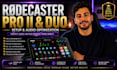
Looking for a professional RØDECaster Pro II or RØDECaster Duo setup? You're in the right place! I provide expert setup, configuration, optimisation, and troubleshooting to ensure your audio sounds clean, professional, and ready for streaming, podcasting, or content creation.
Whether you're using OBS Studio, Streamlabs, Discord, Zoom, Twitch, Kick, or YouTube Live,
I'll configure your RØDECaster for smooth audio routing, crystal-clear microphone quality, and reliable performance.
My services include:
I focus on delivering a personalised setup based on your equipment and workflow, ensuring everything works correctly before completion. Whether you're a beginner or an experienced creator, I'll help you achieve professional-quality audio with a hassle-free experience.
Have questions or a custom setup? Feel free to message me before placing your orderIm happy to help!

Software:
OBS Studio
Platform:
•
Twitch
•
YouTube
•
Mixer
•
Kick
Purpose:
Gaming
•
Music
•
Lifestyle
•
Business
•
News
•
Streamshare
•
Webinar
1. What RØDECaster models do you support?
I support the RØDECaster Pro II and RØDECaster Duo. If you're unsure which model you have, send me a message and I'll be happy to help.
2. Can you set up my RØDECaster with OBS Studio or Streamlabs?
Yes! I can configure your RØDECaster with OBS Studio, Streamlabs, Discord, Zoom, Twitch, Kick, YouTube Live, and other compatible streaming or recording software.
3. Can you fix audio issues instead of doing a full setup?
Absolutely. I can troubleshoot problems such as no audio, echo, audio delay, incorrect routing, low microphone volume, distortion, background noise, crackling audio, and other RØDECaster or OBS-related issues.
4. Do I need to install any software before the session?
Please install OBS Studio, RØDE Central, and any software you'd like to use before our session. If you need assistance, I'll guide you through the installation process.
5. How will you access my computer?
I provide secure remote support using TeamViewer, AnyDesk, or RustDesk. You remain in full control of your computer throughout the session.
6. Do you optimise microphone settings?
Yes. I'll optimise your microphone using gain, EQ, compressor, noise gate, and other audio settings to help you achieve clear, professional-quality sound.
7. Can you set up dual PC streaming or advanced audio routing?
Yes. My Premium package includes advanced audio routing, dual PC streaming configuration, and complex setups tailored to your workflow.
8. What should I do before placing an order?
Feel free to contact me with your equipment list and requirements. I'll recommend the most suitable package and confirm that your setup is compatible before we begin.
