Browse categories
Explore
Fiverr Pro
English
$
USD
Professional OBS And Stream Setup Solutions
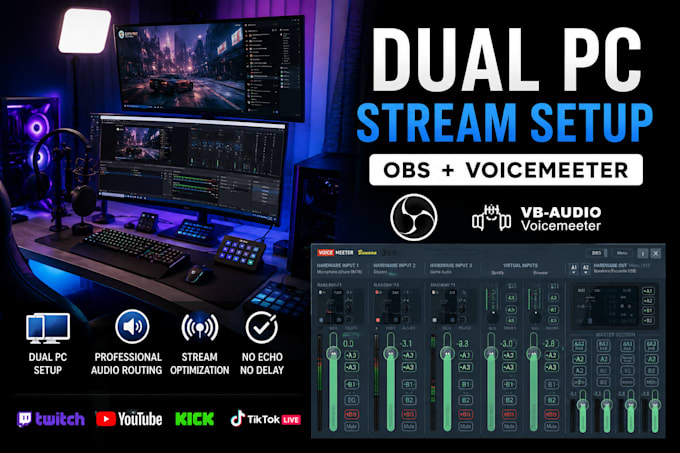
Need a professional dual PC streaming setup for Twitch, Kick, YouTube, or TikTok? I will help you configure a clean, stable, and high-performance streaming system using OBS and Voicemeeter for smooth gameplay and professional audio routing.
I specialize in dual PC streaming setup, audio routing, OBS optimization, and stream troubleshooting to help creators achieve a reliable and professional broadcast experience.
My services include:
Whether you are a beginner or upgrading to a professional streaming setup, I will ensure your stream runs smoothly with clean audio and optimized performance.
Why choose me?
Please contact me before placing an order to discuss your setup and requirements.
Software:
OBS Studio
Platform:
•
Twitch
•
YouTube
•
Kick
Purpose:
Gaming
•
Music
•
Lifestyle
•
Business
•
News
•
Streamshare
•
Webinar
1. What do I need for a dual PC streaming setup?
You will typically need a gaming PC, streaming PC, capture card, OBS Studio, and Voicemeeter for advanced audio routing. I will guide you through everything needed for your setup.
2. Can you setup Voicemeeter Banana or Potato?
Yes, I can configure both Voicemeeter Banana and Voicemeeter Potato for professional audio routing and stream optimization.
3. Can you separate Discord, game, music, and microphone audio?
Yes, I can setup separate audio routing for game sound, Discord, Spotify/music, browser audio, and microphone input.
4. Do you support Twitch, Kick, YouTube, and TikTok streaming?
Yes, I can configure your setup for Twitch, Kick, YouTube, TikTok Live, and multistreaming platforms.
5. Can you fix audio delay, echo, or OBS lag issues?
Yes, I can troubleshoot and fix common streaming problems including audio delay, echo, dropped frames, stuttering, and sync issues.
6. Will you help with capture card setup?
Yes, I can configure and optimize capture cards such as Elgato and other compatible devices for dual PC streaming.
7. Can you optimize my OBS settings for better performance?
Yes, I will optimize bitrate, encoder, resolution, audio settings, and overall OBS performance based on your PC specifications and internet speed.
8. What if I have problems after delivery?
I provide support to ensure your setup is working properly and help resolve any setup-related issues after delivery.
9. Do I need remote access for the setup?
Yes, remote access software such as AnyDesk or TeamViewer may be required for faster and more efficient setup assistance.
