Browse categories
Explore
Fiverr Pro
English
$
USD
Streaming Setup Specialist OBS, StreamElements and TikTok Live Expert
Level 1
Has met certain performance criteria and shows strong potential in the marketplace.
Highly Responsive
Known for exceptionally quick replies
Are you struggling with poor stream audio, confusing audio routing, microphone issues, or a setup that does not sound professional?
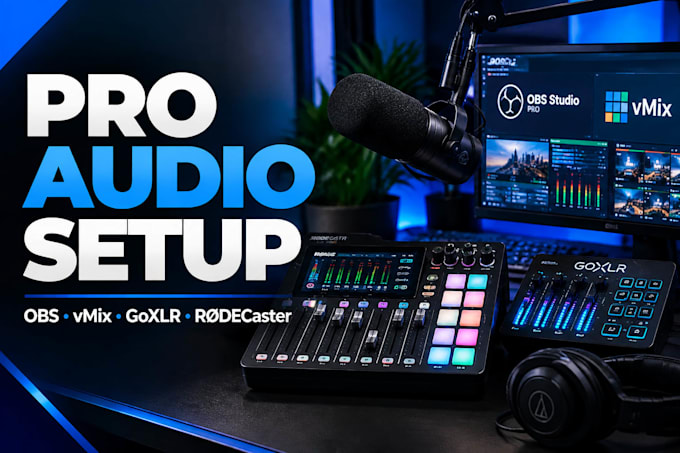
I will build and optimize a professional streaming, podcast, and broadcast audio workflow using OBS Studio, vMix, Streamlabs, RØDECaster Pro II, GoXLR, Elgato Wave Link, and other audio systems.
I help creators achieve clean, reliable audio for Twitch, YouTube Live, Kick, TikTok LIVE, podcasts, webinars, and professional productions.
My service includes:
Every setup is customized around your hardware, microphone, software, and workflow. No generic presets only a professional configuration designed for your specific needs.
Whether you are starting fresh or fixing existing audio problems, I will help you create a smooth, broadcast-quality audio system.
Message me today and lets build an audio setup that sounds professional and performs flawlessly.

Software:
OBS Studio
Platform:
•
Twitch
•
YouTube
•
Kick
Purpose:
Gaming
•
Music
•
Lifestyle
•
Business
•
News
•
Streamshare
•
Webinar
1. Can you set up my RØDECaster Pro II from scratch?
Yes. Whether it's brand new or already configured, I'll set it up and optimise it for your workflow.
2. Can you configure it for OBS Studio?
Yes. I'll integrate your RØDECaster Pro II with OBS Studio for smooth, professional streaming.
3. Can you improve my microphone quality?
Absolutely. I'll optimise gain, EQ, compression, noise gate and other processing based on your microphone and environment.
4. Do you support XLR and USB microphones?
Yes. I can configure compatible XLR and USB workflows depending on your overall setup.
5. Can you fix routing or audio issues?
Yes. I troubleshoot common problems including audio routing, echo, distortion, low volume and software integration.
6. What do I need before ordering?
You'll need your RØDECaster Pro II, computer, microphone(s), the software you use (such as OBS), and remote access software if required.
7: Do you provide support after the setup is completed?
Yes. If you have questions related to the setup after delivery, I'm happy to provide reasonable post-delivery support to ensure everything is working as expected.
